
iPhone Screenshots




Description
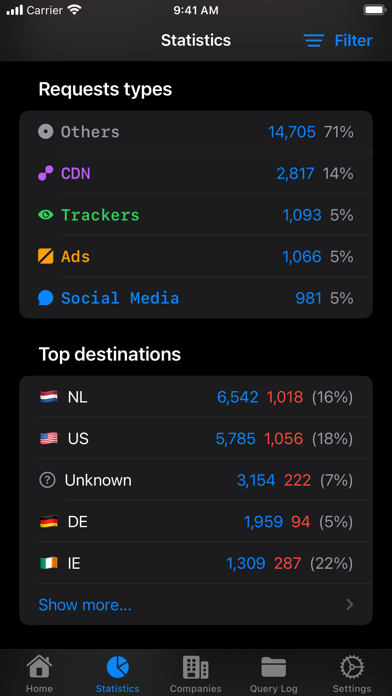
Remote for AdGuard DNS makes managing your AdGuard DNS setup quick and easy. Quickly enable/disable protection features, as well as view statistics such as top domains and top destinations. Manage your servers, devices, and more.
*Toggle Protection*
You can quickly enable or disable protection for your servers, including support for doing this with Siri Shortcuts. You also have fine-grained control by managing settings specifically for your devices!
*Statistics & Query Log*
Get insights in the top blocked domains or destinations. Search through your queries in the Query Log with detailed request and response info, including a 'Live Log' feature, all beautifully displayed.
*Manage Settings*
Add or edit your servers, change some settings, change device details, and more.
*Truly native iOS experience*
The app also supports Home Screen widgets and Siri Shortcuts.
==
Features:
- Control protection, blocklist filtering, user rules, parental control, and browsing security
- View basic & advanced statistics
- Query Log with search and filters, including a realtime updating 'Live Log'
- Home Screen widgets
- Siri Shortcuts
- 100% iOS, built with SwiftUI
==
Note:
Remote for AdGuard DNS is a third-party app and is not directly affiliated to AdGuard. For more information about AdGuard DNS, visit https://adguard-dns.io/.