
ClayTracker Pro
Track shots, analyze accuracy, and improve performance
Take Aim Technologies, LP
iPhone Screenshots



Description
Connects to ShotTracker to turn a shotgun into an intelligent device. It provides real-time feedback on shot accuracy, target range and velocity, and shooter motion. It displays corrections audibly and visually to improve shooting performance.
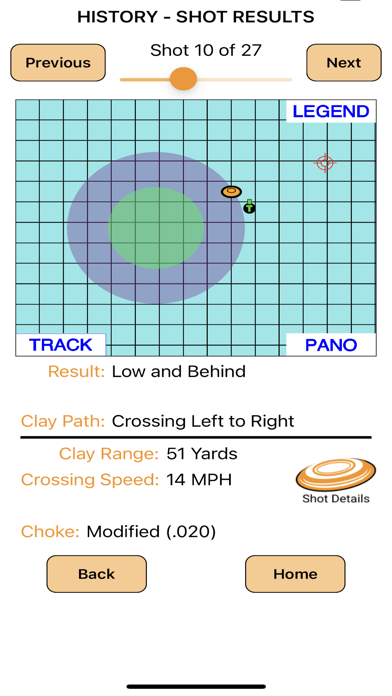
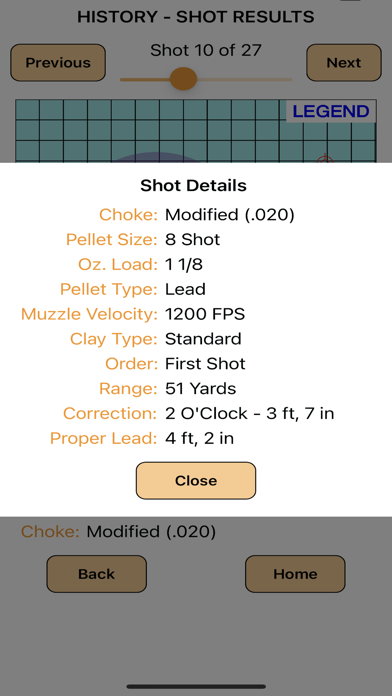
ClayTracker Pro connects to Take Aim's ShotTracker turning your shotgun into an intelligent device. SmartShot Software Technology analyzes your shot and ClayTracker Pro provides immediate feedback on hit and miss accuracy, range & velocity of the target, and the motion of the shooter. The corrections needed to make the next shot perfect are furnished both audibly and visually.
Getting Started
1. Turn on your ShotTracker and wait for the green LED
2. Connect to the ShotTracker's Wi-Fi network in your device settings (ShotTracker SSID found on battery compartment door)
3. Open the ClayTracker Pro application
4. Go to the Profiles screen and complete a Profile and then perform a boresight procedure
5. Go to the Let's Shoot screen to start a new clay target shooting session
6. View the results of your shot on the ClayTracker Pro Results screen
Features
1. Support Sporting Clays, Skeet, Trap, Bunker Trap and Helice
2. Adjust the Shot Detection Threshold on the ShotTracker page
3. Create Custom profiles for your shotguns configuration including:
a. Shotgun type: Over / Under - Semi-Auto - Pump
b. Choke used
c. Shot Shell details: Pellet Size, Load Oz., Pellet Type and Muzzle Velocity
d. Clay Target Type: Standard, Midi, Mini, Battue and Rabbit
4. Record the details of your clay shooting session including:
a. Where you are shooting
b. Which clay target sport are you participating in today - Skeet - Trap - Sporting Clays - Helice
c. Which Profile are you using for the session
5. Review previous shooting sessions using the History feature