
Remote Desktop Scanner
Find devices, connect with one click
Sascha Simon
iPhone Screenshots


Description
Connects to devices on your network via or SSH. It lists all connectable devices and allows one-click access. Supports VNC for mouse control and SSH for command execution.
The Remote Desktop Scanner lists all devices on your network that you can connect to via Remote Desktop or SSH. You can then connect with just one click.
• Remote Finder
This app will fetch a list of all devices that allow you to connect to. The device list is updated in the background.
• VNC support
The app allows you to connect to remote devices using Apple Remote Desktop. This is useful if you need to control your remote computer using the mouse cursor.
• SSH support
The app also allows you to connect to a remote device using ssh. This is useful to execute commands in the Terminal.
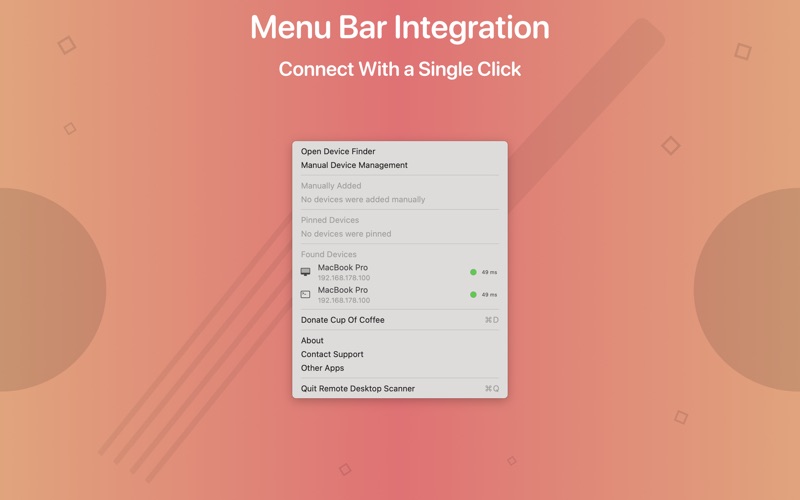
• Menu Bar Integration
The app integrates seamlessly into the menu bar. This means that the app is lightweight and very simple to use.
• One Click Connections
You can connect to remote devices with a single mouse click. Simply open the menu bar widget and click on the remote device.
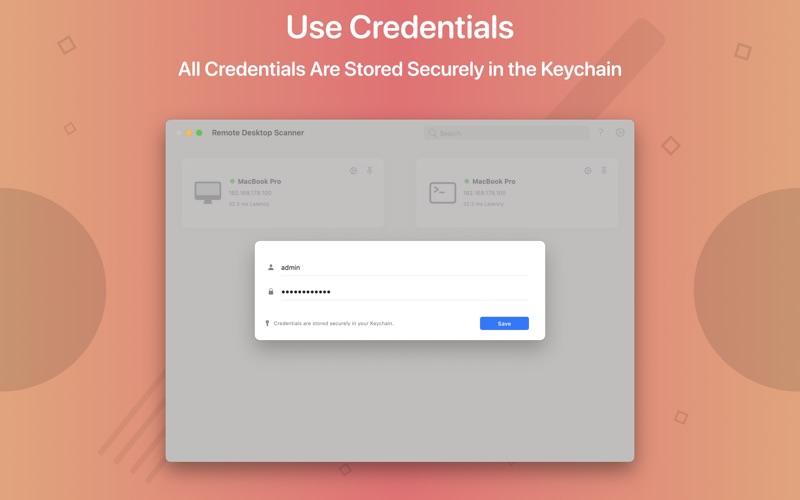
• Authentication
Choose the username and password used to connect to the remote device.
• Keychain Support
All credentials are stored securely in your Keychain.
The app icon was designed by Hugo Santos. You can find more information about my app icons here:
http://icons.sascha-simon.com
You can find more great apps on my homepage:
https://www.sascha-simon.com
If you enjoy using this app, please leave a positive review. Positive reviews help other users discover the app and are a source of inspiration for me to further develop the app.