
BACB Mobile
View account balance and transactions
BULGARIAN AMERICAN CREDIT BANK AD
iPhone Screenshots




Description
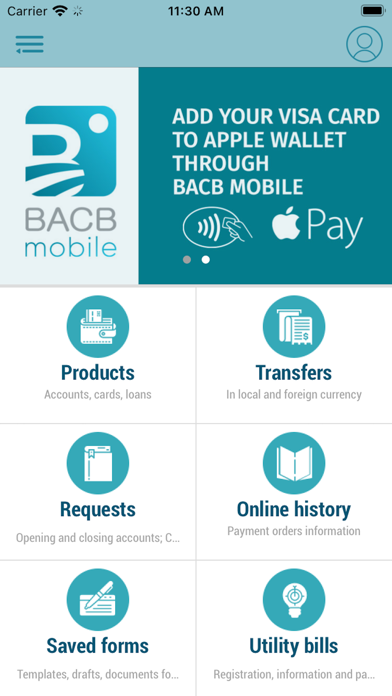
View account balances and transaction history. Check card authorizations and initiate currency transfers between accounts. Register utility bills, manage standing orders, and negotiate exchange rates. Open accounts and request new debit cards.
BACB Mobile app offers everything you would expect from a banking app and more.
You can:
• View details, balance and movement of account;
• Check card authorizations;
• Initiate transfer in local or foreign currency between own accounts, within the Bank, to other domestic bank, to other European and International bank;
• Register new or pay pending utility bill;
• Add, amend, and cancel standing order or future dated transfer;
• Negotiate exchange rate;
• Open an account;
• Request new debit card;
• Change card limits for cash withdrawal or payment;
• Block/ Unblock card for operations at ATM/ POS/ Internet;
• Request cash withdrawal;
• Set notifications according to your preferences;
• Receive information about exchange rates and applicable fees for online operations;
• Send message to the Bank;
• Rename accounts and cards;
• Use rates calculator.
Activation of the mobile app is easy. You need to log in to your Internet banking account in BACB AD and everything will be finished within a minute.
Log in to BACB Mobile app with PIN or biometrics (fingerprint/ Face ID).
For more information, please call 0700 14 488 (*4488 for mobile operators) or email [email protected]
Minimal requirements:
• minimal operating system iOS 13.0
• camera.