
iPhone Screenshots


Description
Your (e-)invoices and documents at a glance
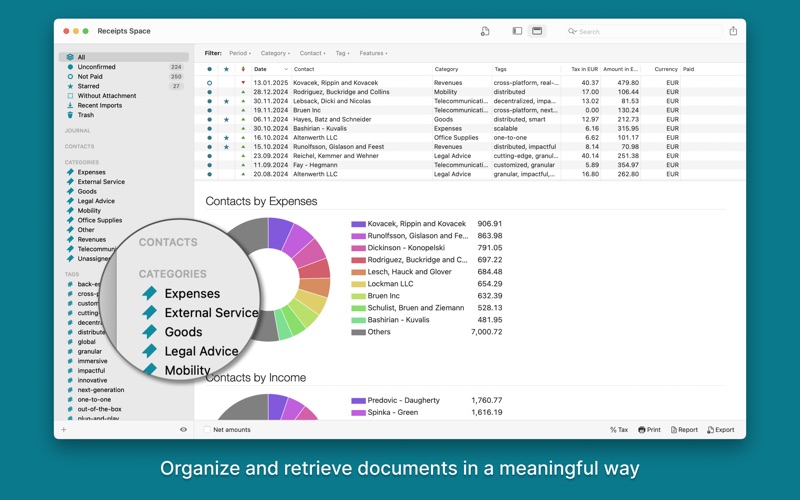
- Managing receipts is a daily task for many people. Keep track of your income and expenses with Receipts Space - with a clear dashboard and a wide range of analysis and export options.
- Save your **e-invoices** and **documents** securely on your computer.
Your data securely and everywhere
- Privacy First: All data and processing steps remain locally on your computer, so that data protection is ensured.
- Synchronization: Your data is not stored in a cloud service, but can be used simultaneously via your shared directories with **several devices** - with maximum data protection.
Your work made easier
- Process not only file normal PDFs, but also emails, scans, HTML (web pages) and image files thanks to powerful OCR.
- The automatic recognition of amounts, dates and other values as well as the self-learning sorting according to contacts and categories make collecting and managing receipts for tax, accounting preparation, expenses and your private finances child’s play. Just like paying your bills.
Top Features
- Simply collecting your incoming invoices, outgoing invoices - including e-invoices, of course - as well as receipts and documents of all kinds
- Multi-device capability (synchronization) via shared directories
- Maximum protection of your privacy through local data storage
- Automatic state-of-the-art text recognition (OCR)
- Automatic recognition of content such as amount, date, taxes and bank details
- Self-learning assignment of documents to contacts and categories
- Automatic conversion of foreign currencies
- Support for scanners and document scanners incl. ScanSnap
- Direct payment of incoming invoices from the app
- Extensive evaluation and further processing options
Our Privacy Policy at https://receipts-app.com/privacy
Terms of Use (EULA): https://www.apple.com/legal/internet-services/itunes/dev/stdeula/