
Bible Reading Groups
Join , schedule sessions, share verses
Timothy Peabody
iPhone Screenshots


Description
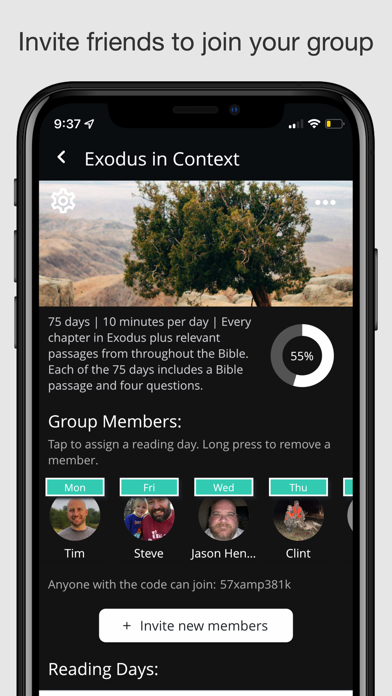
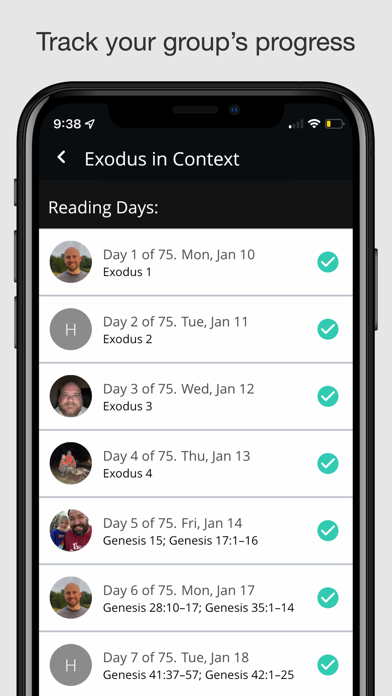
Schedule study sessions with of up to 15 people. Select plans, choose days for group study, and invite others to join. Track progress and manage group activities within the .
Bible Reading Groups is a scheduling tool for groups of up to 15 people that study the Bible together daily. Use this app to join an existing group or start a new group.
A SIMPLE WAY TO STUDY THE WORD TOGETHER
This approach to daily Bible study began with the Men's Mentoring Program at Morrison Heights Baptist Church. The strategy is simple:
* Select a reading plan from the Bible Reading Groups app.
* Choose which days of the week your group will read. We recommend Monday through Friday.
* Invite four people to join your group. Use the Bible Reading Groups app to manage the reading schedule and a video-sharing app like Marco Polo to post the daily readings.
* Assign a reader for each day of the week. For example, the group leader can read on Mondays, another member on Tuesdays, and so on. You can also use the app to set up your schedule in a simple rotation.
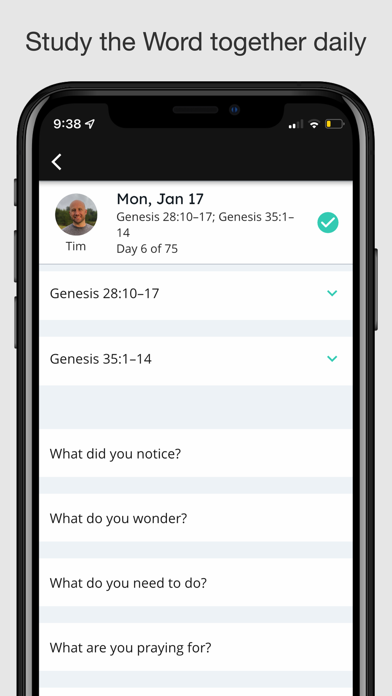
* When it's your day to read, post a video to the group. In the video, read the assigned passage from the Bible, answer the questions included in your reading plan, and pray.
* As your group completes each day, you can use the Bible Reading Groups app to track your progress and keep everyone in your group on schedule.