
iPhone Screenshots
Description
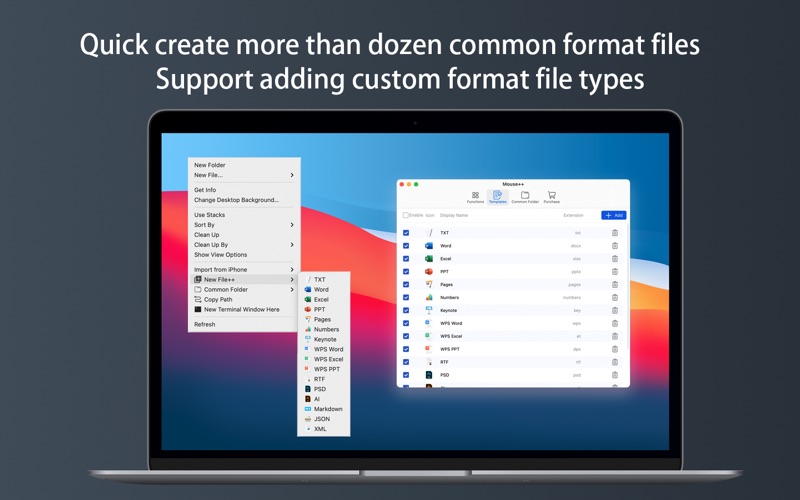
You can directly create new documents and other content on the desktop.
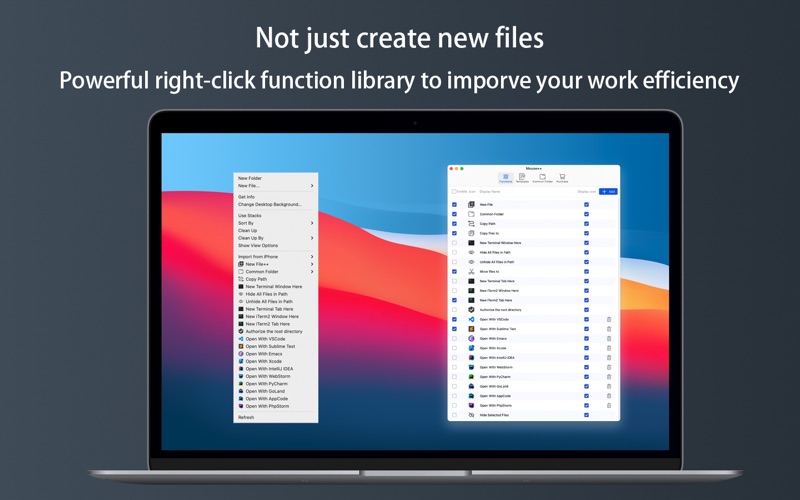
It has rich functions to make your right-click menu even more powerful.
The deeply rooted interactive design helps you greatly enhance the macOS experience!
PS: To open Mouse++ for the first time, you need to enable the extended permissions of "Finder" in "Settings-Extensions", and then you can see the corresponding enhanced functions in the right-click options.
Features:
• Right click to create a new file.
The new file format is supported by default:TXT/RTF/XML/Word/Excel/PPT/WPS text/WPS table/WPS presentation/Pages/Numbers/keynote/Ai/PSD/Markdown/JSON/XML...
• Quickly open your Terminal, iTerm2, and go to the directory you want.
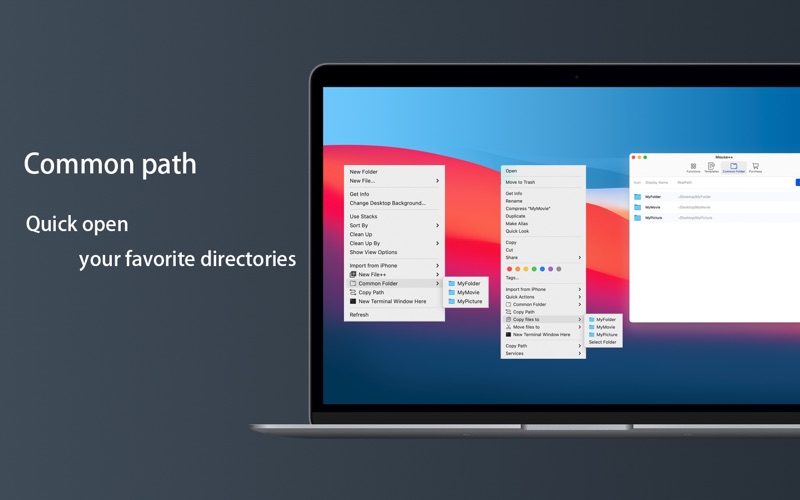
• Move files to
Move the file to the specified location
• Copy files to
Copy the file to the specified location
• Quickly open VSCode, Sublime Text and Emacs.
• Quickly copy the current path power.
• Common Directory
Add and set common directories in the right-click menu, select to reach the specified directory
• Supports hiding and displaying of specified files.