
iPhone Screenshots




Description
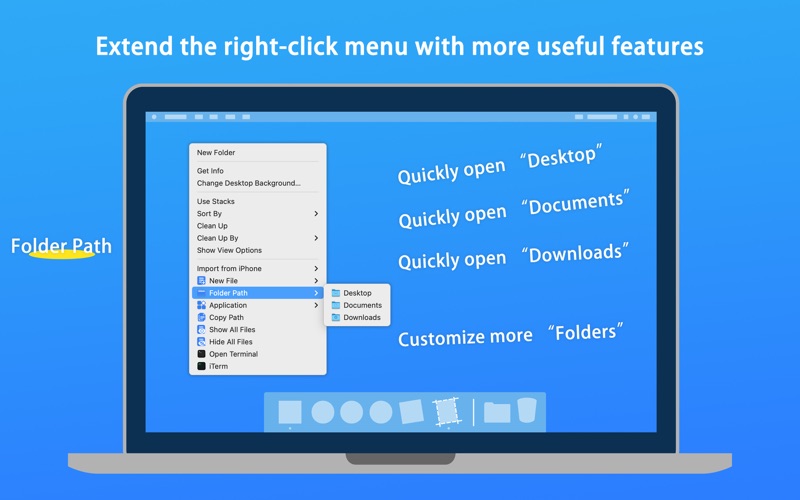
Tired of the limited options in the macOS right-click menu? eMouse brings the missing features to your Mac, allowing you to customize your context menu and handle file management like a pro. Whether you are a developer, designer, or office professional, eMouse streamlines your workflow by turning complex actions into a single click.
[Key Features]
- Instant "New File" Creation
Stop opening apps just to save a file. Create 100+ formats directly from Finder, including Word, Excel, PPT, Markdown, TXT, JSON, and more.
Support for custom templates: Add your own file templates for even faster drafting.
- Advanced File Management
Copy Path: Quickly grab file paths in multiple formats (Absolute, POSIX, etc.)—perfect for developers.
Move/Copy to: Pre-set your most-used folders (Downloads, Projects, Cloud Drive) and organize files instantly.
Force Delete: Bypass the Trash and delete files permanently with one click.
- Developer-Friendly Tools
Open any directory directly in Terminal, iTerm2, VS Code, Sublime Text, or other professional IDEs.
Toggle hidden files visibility in a flash.
- Quick Image & System Actions
Image Converter: Batch convert images to PNG, JPG, or WebP.
Clipboard to File: Instantly save your clipboard text or images as a new file in the current folder.
Hide/Show Icons: Keep your desktop clean for presentations or screenshots.
[Why eMouse?]
Native & Lightweight: Built for macOS with a clean, intuitive interface.
Fully Customizable: Hide features you don't use and organize your menu icons to suit your style.
Apple Silicon Ready: Fully optimized for M1, M2, M3, M4, M5 chips.