
Image converter - Batch & Easy
Convert images, resize, and save in any
Yoshinobu Ikeda
iPhone Screenshots



Description
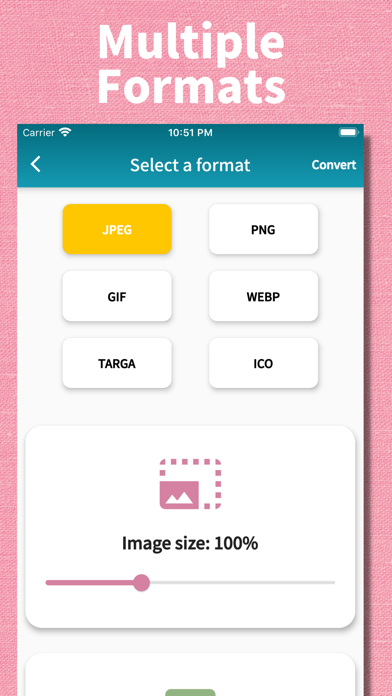
Convert formats with drag-and-drop support. Resize, compress, and adjust quality. Export in various formats like JPEG, PNG, and HEIC. Maintain local processing for privacy. Share converted files directly or save to device storage.
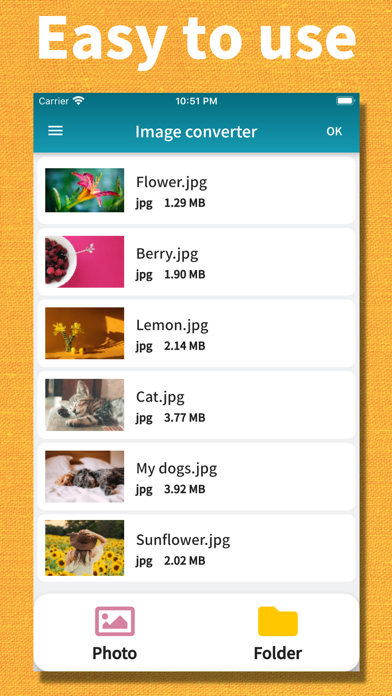
Easily batch convert your image formats with simple operations.
Supporting a wide range of major formats, this app is perfect for any situation. With its simple and intuitive design, anyone can start using it right away. You can also reduce image file sizes, making it convenient for posting on social media or sending via email.
Privacy-Focused Design
All image processing is performed locally on your device. Your photos and documents are never uploaded to our servers, ensuring your personal content remains private. The app only uses internet connection for displaying ads - your images always stay on your device.
● Supported Input Formats
JPEG, PNG, GIF, BMP, WebP, TIFF, PSD, Targa, PVR, ICO, HEIC, HEIF
● Supported Output Formats
JPEG, PNG, GIF, WebP, Targa, ICO, PDF
Features:
- No registration required. Ready to use right after download.
- Local image processing - your files never leave your device.
- Simple and user-friendly interface.
- Supports a wide range of formats.
- Batch convert multiple images at once.
- Image resizing feature.
- Adjustable quality (for JPEG and WebP only).
- Selectable save destination.
- Built-in sharing function.
- Real-time conversion progress display.
- Beautiful, modern application design.