
iPhone Screenshots


Description
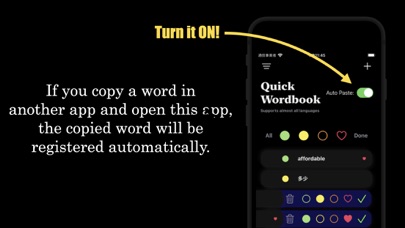
If you copy a word in another app and open this app, the copied word will be registered automatically. When you are reading news in a foreign language and encounter a word you don't know, you can register it in this app easily.
Since it uses the iPhone's built-in dictionary, it can handle almost any language.
You can also add words manually by pressing the + button in the upper right corner of the screen.
-- How to use --
1. On your iPhone, go to "Settings" -> "General" -> "Dictionary" and check the dictionary you want to use.
2. launch the app and turn on AutoPaste.
3. Long-tap a word from your browser, email, news app, or social network to copy it.
4. Open this App from the background.