
iPhone Screenshots



iPad Screenshots


Description
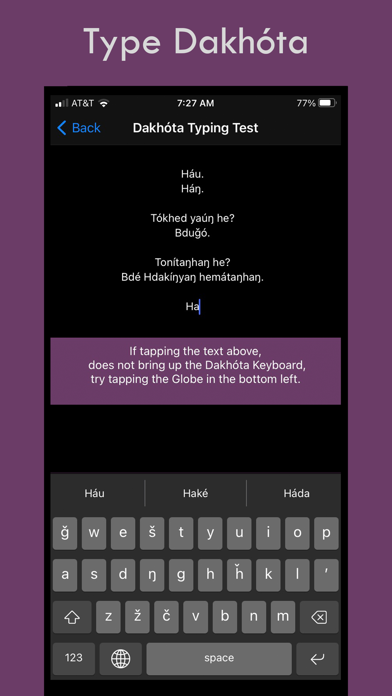
Type text using a dedicated layout. Switch between layouts by tapping or holding the globe icon. Install and configure the through settings. Test the within the before use.
Dakhóta Keyboard installs the keyboard layout setting for the Dakhóta language.
Dakhóta Keyboard is the iOS app that let's you type correct Dakhóta into any text area on your iOS mobile device by simply switching into the Dakhóta Keyboard Layout.
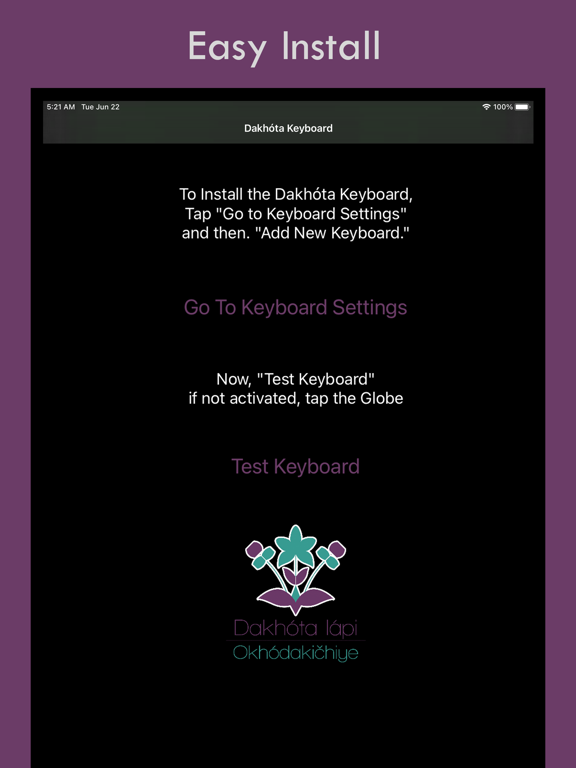
1. Open the Dakhóta App
2. Select "Go to Keyboard Settings"
3. Select "Add New Keyboard"
4. Select "Dakhóta"
5. Go back to the App and "Test Keyboard"
6. Tap or Press and Hold the Globe to switch to the "Dakhóta Keyboard"
Congratulations! Now you can type Dakhóta.
Once installed and selected as a keyboard option, you can switch between Dakhóta and English as you type emails, SMS, MMS, web content, and in any other text-input field. Simply press the GLOBE icon to switch.
This is the ultimate integrated Dakhóta app keyboard solution to help you type Dakhóta on Facebook, Twitter or wherever, accurately and with integrity.
Once installed and selected as a keyboard option, you can switch between Dakhóta and English as you type emails, SMS, MMS, web content, and any other text-input field.
App information from Apple App Store. Dakhóta Keyboard and related trademarks belong to Dakhota Iapi Okhodakichiye.