
iPhone Screenshots




Description
Disk Image Toolbox is a powerful disk image utility that provides a suite of essential operations:
• Key Operations: create, burn, and convert disk images.
• Format Support: compatible with DMG, ISO, CDR, IMG, SparseImage, SparseBundle, UDF, CUE(BIN), and TOC(IMG).
# DMG Disk Image
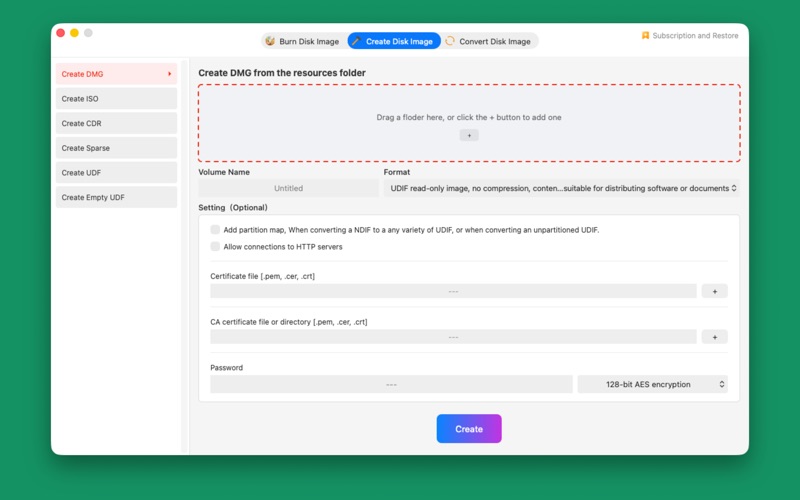
• Create DMG disk image from folder
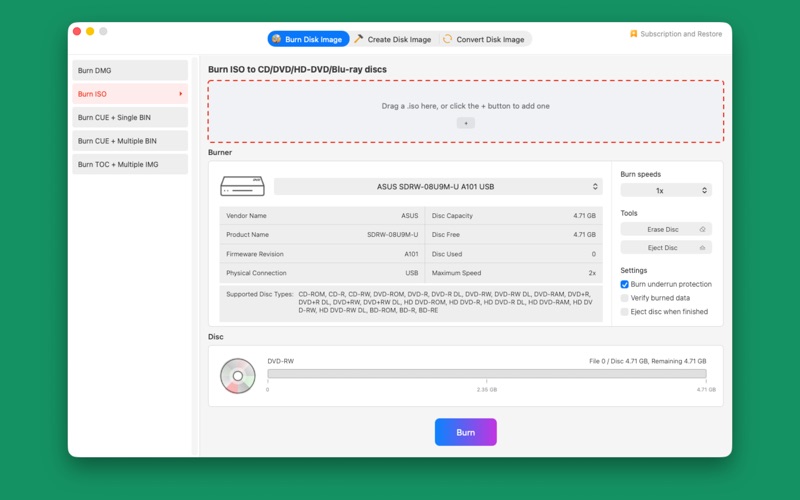
• Burn DMG to CD/DVD/HD-DVD/Blu-ray Disc
• Convert DMG to different compression types
• Convert DMG to ISO
• Convert DMG to CDR
• Convert DMG to IMG
• Convert DMG to Sparse Image
# ISO Disk Image
• Create ISO disk image from folder
• Burn ISO to CD/DVD/HD-DVD/Blu-ray Disc
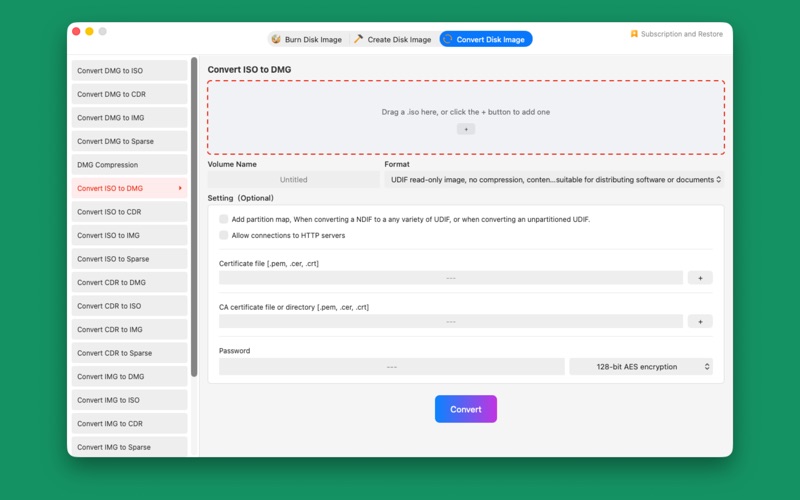
• Convert ISO to DMG
• Convert ISO to CDR
• Convert ISO to IMG
• Convert DMG to Sparse Image
# CUE + BIN Disk Image
• Burn CUE and multiple BIN files to CD
• Burn CUE and single BIN file to CD/DVD/HD-DVD/Blu-ray Disc
# TOC + IMG Disk Image
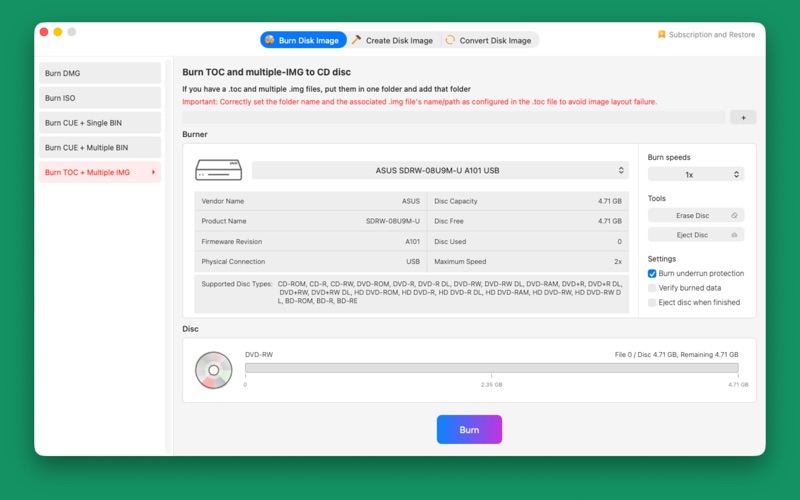
• Burn TOC and multiple IMG files to CD
# CDR Disk Image
• Create CDR disk image from folder
• Convert CDR to DMG
• Convert CDR to ISO
• Convert CDR to IMG
• Convert CDR to Sparse Image
# IMG Disk Image
• Convert IMG to DMG
• Convert IMG to ISO
• Convert IMG to CDR
• Convert IMG to Sparse Image
# SparseImage, SparseBundle Disk Image
• Create sparse disk image from folder
• Convert sparse image to DMG
• Convert sparse image to ISO
• Convert sparse image to CDR
• Convert sparse image to IMG
# UDF (Universal Disk Format) Disk Image
• Create Universal Disk Format with ISO extension based on files
• Create Universal Disk Format with ISO extension of specified size
# Automatic renewal of professional version
【1】Professional edition rights:
• All professional features of this version: No limit to the size of the disk image.
• Professional or Advanced-features added in the new version.
【2】Subscription period:
• 1 month (Professional version continuously subscription to the product for 1 month).
• 6 months (Professional version continuously subscription to the product for 6 month).
• 12 months (Professional version continuously subscription to the product for 12 month).
【3】Subscription price: Subject to IAP application information, for example, monthly subscription products are $0.99 per month, and annual subscription products are $8.99 per year.
【4】Payment: After the user confirms the purchase and payment, it will be credited to the iTunes account.
【5】Cancel renewal: If you need to cancel the renewal, please manually turn off the automatic renewal function in the iTunes/Apple ID setting management 24 hours before the current subscription period expires.
【6】Renewal: Apple iTunes account will be deducted within 24 hours before expiration. After the deduction is successful, the subscription period will be extended by one subscription period.
【7】Privacy Policy: https://weibo.com/7276797843/KiFgOBj8a
【8】Terms of Use: https://weibo.com/7276797843/KiWur85Cs
# Technical Support
• If you have any questions, please contact us via email at [email protected]