
iPhone Screenshots

Description
Make and maintain an inventory for your home.
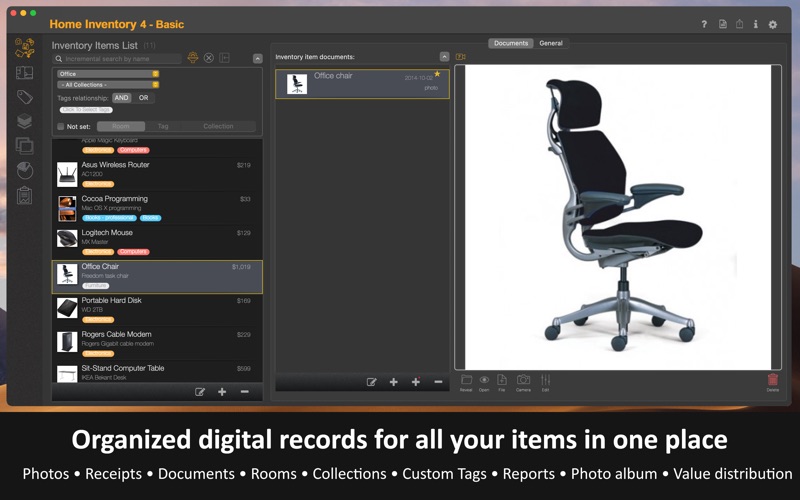
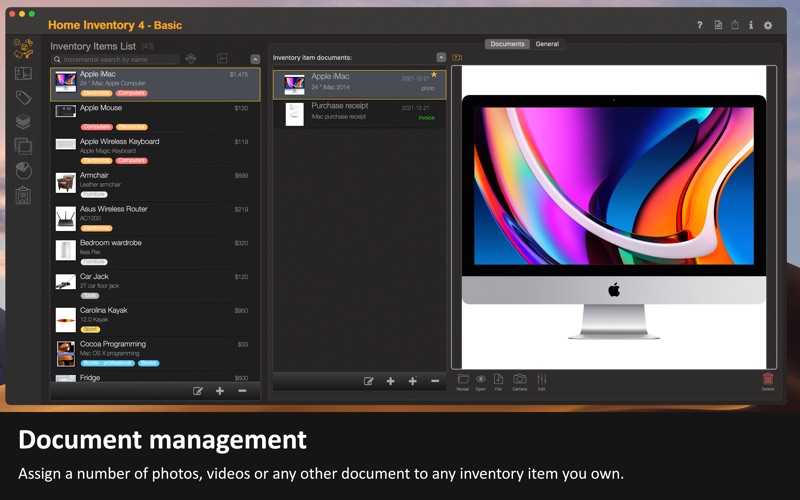
The application lets you organize your belongings by property, room, or collection, along with one or more custom tags. You can attach photos, videos, receipts, manuals, contracts, and other documents related to your possessions.
Inventory Items
Add all essential information for each item, including name, description, year, make, model, serial number, purchase price, and annual depreciation rate.
Associate items with properties, rooms, and collections. Use custom tags to organize your items into even more categories.
Media
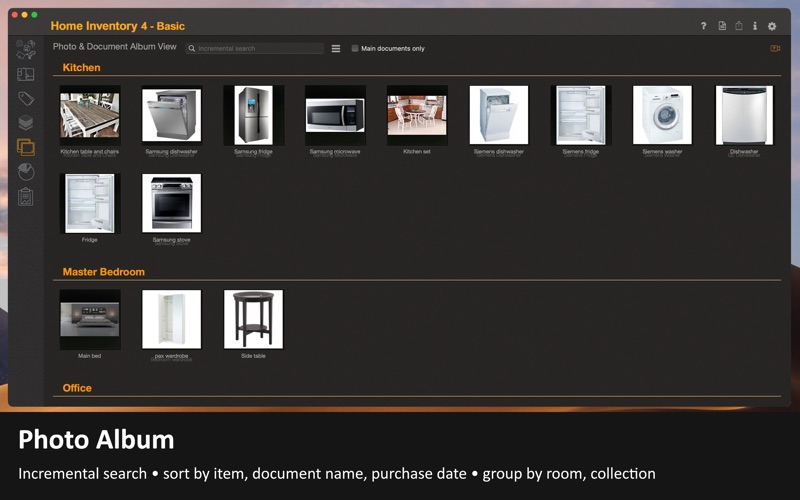
Add multiple photos, videos, manuals, and other documents to each item. View them in a photo album that supports filtering and organizing by multiple criteria.
iPhone & iPad
Access your iPhone or iPad photos directly from the Mac application without needing an external iOS app.
Reports
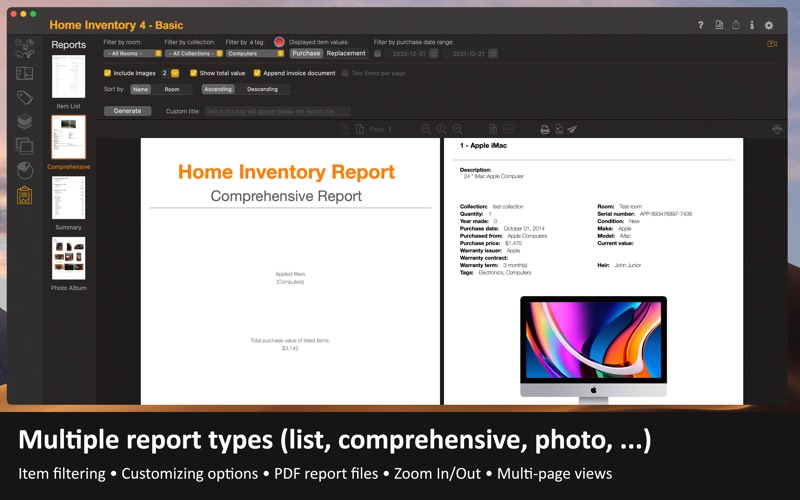
Choose from multiple report types. Filter by room, collection, or tag.
Create reports as PDF files that you can view, print, save, or email directly from the application. Available reports include Item List, Summary, Comprehensive, and Photo Album.
Backup & Restore
Your inventory information is stored locally on your computer, but off-site backups are recommended.
Back up all inventory data to a single compressed file. Automated backups to iCloud Drive are supported.
More Features
• Continuity Camera support for scanning documents or capturing nearby items using your iPhone or other iOS devices
• Property, room, collection, and custom tag assignment per item
• Support for photos, videos, and other electronic documents
• Multiple report formats (Item List, Summary, Comprehensive, Photo Album)
• Import inventory data from CSV files
• Complete data backup and restore