
iPhone Screenshots


Description
Chess Lab is the macOS version of the Chess Studio application for iOS/iPadOS.
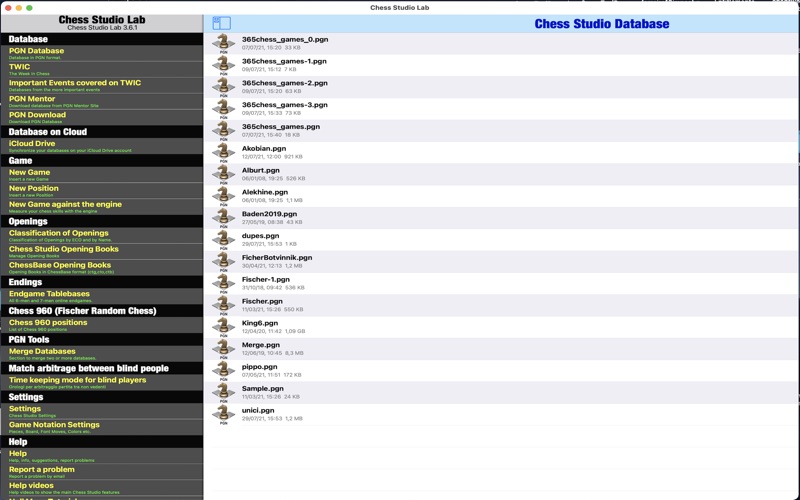
Chess Lab is the first and only application to manage Chess Databases and Games in PGN format in a complete and efficient way.
Chess Studio Lab allows you to:
• Read database and games in PGN format (also with extended notation of moves).
• Create, delete and modify folders and databases.
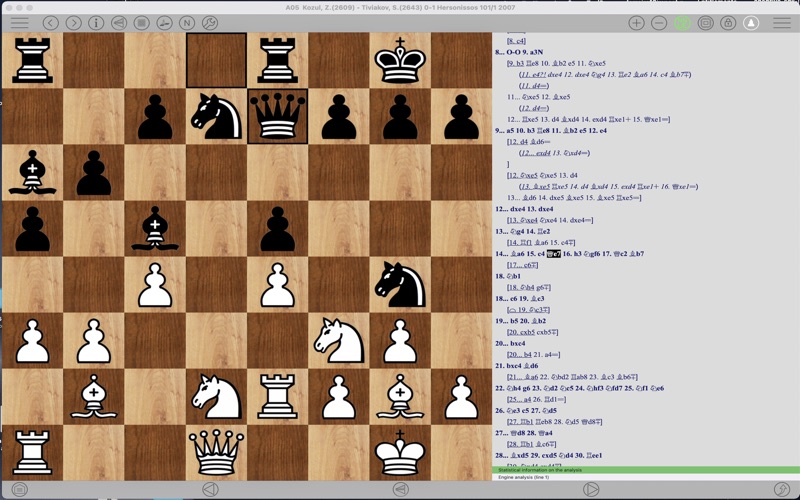
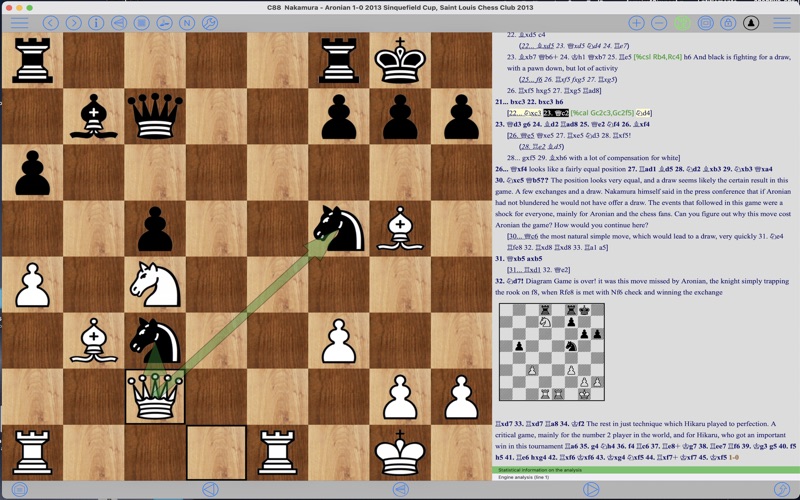
• View games with annotations and textual comments and keep track of the displayed games.
• Visualize moves and variants in compact mode or indented mode.
• Modify existing games with move annotation and textual comments.
• Insert new games and positions.
• Insert, replay and analyze games in Chess 960 mode.
• Insert moves with annotations and textual comments.
• Insert variation, subvariations etc.
• Insert and visualize graphical annotation (colored arrows and highlighted squares).
• Send games by email.
• Share Databases and Games through Airdrop.
• Download chess database from internet.
• Download chess database directly from PGN Mentor site.
• Import games, database and Opening Books from other applications.
• Merge two or more databases.
• Copy/Paste games and positions.
• Analyze games with Stockfish 17.1 Engine with the support of the Neural Networks (up to 5 lines of analysis simultaneously) and see the results also through the Engine Evaluation Bar.
• See graphic visualization of moves suggested by Stockfish 17.1 engine.
• See Win-Draw-Loss (WDL) probabilities during engine analysis.
• Replay games automatically.
• Visualize Pawn structure.
• Manage Variations and sub-variatons: delete and promote variations.
• Read the weekly Magazine The New In Chess (TWIC) and download the games..
• Three different modes for moving pieces.
• Analyze endgames with Endgame Tablebases.
• Analyze and study Chess Openings in the Chess Openings Section.
• Create and manage Opening Books in Polyglot format.
• Import and manage ChessBase Opening Books (ctg format).
• Automatically classify a database according to ECO code.
• Replay, enter and analyze Chess 960 games (Fischer Random Chess).
• Play against the engine both in standard mode and in Chess 960 mode.
• Play online through the LiChess platform
• Train by solving Puzzles
Other features and technical details:
• Modify the board size tapping on the board or through the Settings menu.
• Professional chess fonts and figurines for moves notation and annotation.
• Preview of the game in the board tapping the Info button.
• Quick search feature.
• Advanced search feature.
• Complete management of Null Moves with Tutorial.
• Visualization of ECO code and Opening during game replay or game insertion.
• Visualization of Book Openings during game replay or game insertion.
• Function to move up within variants and subvariants.
• Online manual frequently updated.
• Sharing of databases across devices via iCloud Drive.
• Sound option.
• VoiceOver/Accessibility support.
• Help section contains videos to show the main features of Chess Studio.
• Direct contact via email with the developer to report problems, ask for explanation and suggestions (very quick answer!).
• Languages: Italian, English, Spanish and German.
These are the main features.
The application is continuously updated with new features and improvements.
To view the terms of service visit https://www.apple.com/legal/internet-services/itunes/dev/stdeula/
No registration!
No advertising!
No sharing of personal data!