
RadarAll Speed Camera Detector
Navigate with real-time traffic and alerts
Raul Martin Carbonell
iPhone Screenshots





Description
Provide turn-by-turn GPS navigation with lane guidance and spoken instructions. Display limits and integrated detection. Automatically record routes, showing distance, time, , and cameras encountered.
Enjoy driving with the best navigator, speed camera detector and real-time traffic information. Forget about fines and drive with peace of mind.
MAIN FEATURES
- 100% legal speed camera detector
- Turn by turn GPS navigation, with lane guidance, spoken instructions, speed limits, and the speed camera detector fully integrated into the navigation
- Automatic route recorder. Shows the total distance and time spent traveling the route, speed at each point and speed cameras you passed. Check the speed you were having when passing speed cameras or anywhere
- Route planner. Create routes in advance to check their speed limits and the speed cameras you will find in them
- Real-time traffic information
- No user account or registration, just open the app and that's it
THE BEST SPEED CAMERA DETECTOR:
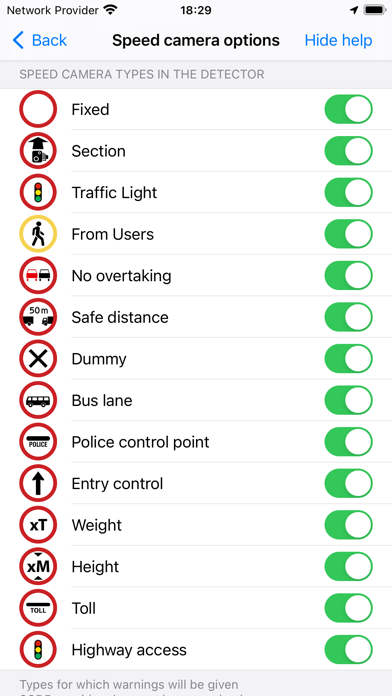
- CarPlay
- Warnings only in the direction you are moving
- Mean speed in section speed cameras
- Options to silence the warnings if your speed is OK
- Manual or automatic (depending on your speed) warning distance
- Automatic speed camera updates
- Voice, sound and vibration warnings, also in your Apple Watch
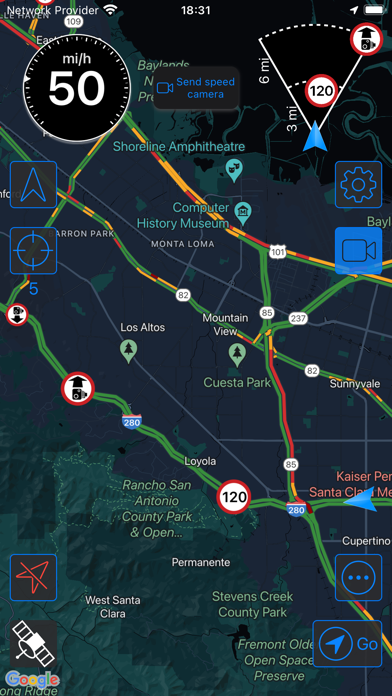
- Map with real time traffic or view with no map, only with the speedometer
- Sound mixed with what you're listening to on your iPhone, through your car's hands-free kit or iPhone speakers
- Works in the foreground or background (use it alongside other apps)
- Fully configurable, portrait and landscape mode, night mode
- Coverage in most countries, download the app and check the coverage in your area in the map
NAVIGATION:
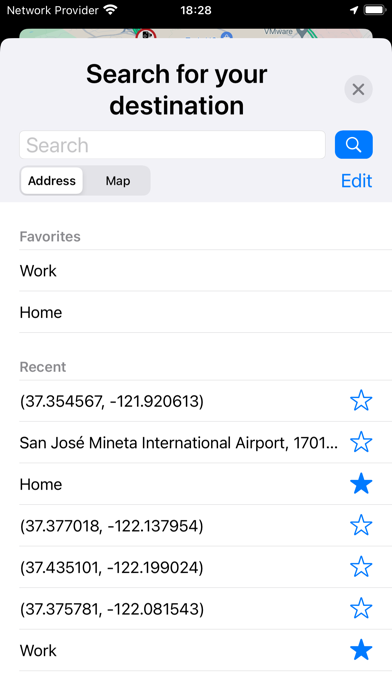
- Turn by turn navigation integrated with speed camera warnings and traffic map. All in the same screen, no need to use several apps
- Warnings of only the speed cameras with are in your route (configurable). Avoid false positives from nearby roads
- Speed limits when navigating
- Indications of the lanes to follow when changing direction
- Spoken instructions together with speed camera warnings
ROUTES
- Automatic route recorder. Shows the total distance and time spent on the route, speed at each point and speed cameras you passed. Check the speed you were going when passing speed cameras or at any location
- You can configure for how many days the routes will be saved and the minimum distance and duration to save them or disable this function. This data is saved on your device and is not sent anywhere
- Route planner. Create routes in advance to see their speed limits and the speed cameras you will encounter taking into account the direction in which you will pass them
- Launch navigation from a recording or a planned route. The best option at that time will be calculated taking into account the intermediate stops on the route
- TRAFFIC MAP:
- Map with traffic information
- As soon as you open the app, the map is centered in your location and traffic information is shown
- You can keep the map centered in a different location from your current one to watch the traffic in a specific area
APP FOR APPLE WATCH:
- If you open the app on your Watch, it will vibrate with each alert, it works in foreground and background
- Navigation instructions, including lanes to follow
- Launch the detector from the Watch keeping your iPhone in your pocket
IMPORTANT:
- The speed camera detector and navigation use the GPS continuously. Using it in the foreground or background can drain the battery quickly.
- To use the speed camera detector and navigation you need a GPS device: all iPhones have it. iPads with 3G have it but not WiFi ones.
- SCDB provides the speed camera data base.
Terms and Conditions: http://www.littlemousesoftware.com/terms-conditions
Privacy Policy: http://www.littlemousesoftware.com/radar-all-privacy