
iPhone Screenshots




Description
Turn paper into sharp PDFs in seconds. CamScan finds the edges of the page, straightens it and saves a clean PDF, with no watermark and no limit on the number of scans.
SCAN ANYTHING
• Documents, contracts, invoices, notes and letters
• ID cards: front and back on one page
• Long receipts and book pages
• Automatic edge detection, perspective correction and color filters
FIND YOUR DOCUMENTS
• Folders, automatic categories (invoice, receipt, ID, contract) and sorting
• Search by name or by the text inside your scans
• Voice search
WORK WITH THE TEXT
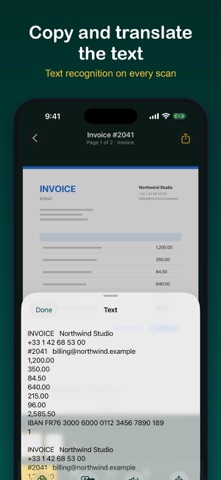
• Copy the text of any scan (OCR)
• Translate it or have it read aloud
FREE PDF TOOLS
• Sign, annotate and merge documents
• Compress, add page numbers, save as images
• Import PDFs from Files
CAMSCAN PRO TOOLS
• Export to Word and Excel
• Protect a PDF with a password, add a watermark
• Searchable PDF, fill a form, stamp
• Keep a PDF under a size limit (500 KB, 1, 2 or 5 MB)
• Hide sensitive info: card numbers, IBANs, phone numbers
Open them for 24 hours with a short video, or get CamScan Pro once: no ads and every Pro tool, forever. No subscription.
PRIVATE BY DESIGN
• Your scans stay on your iPhone or iPad
• Optional backup to your own iCloud Drive
• Lock documents, or the whole app, with Face ID or Touch ID
FAST
• Scan from Control Center, the Action button, Siri or the Lock Screen
• Home Screen widgets
• Light and dark mode
Questions or ideas? Write to us at [email protected]