
iPhone Screenshots



Description
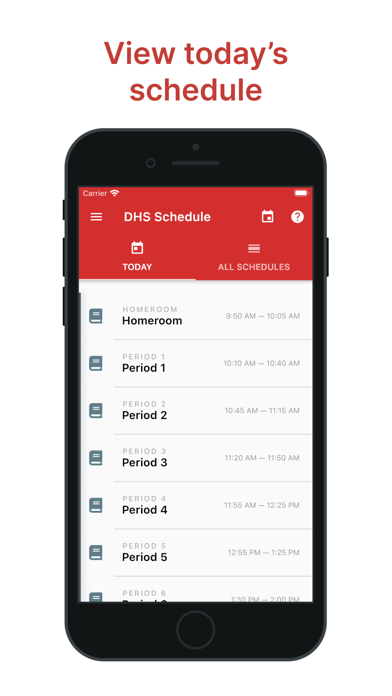
View today's with a daily overview of classes, times, and locations. Check upcoming assignments and due dates. Receive notifications for upcoming events and reminders for missed classes. Sync with school calendars for real-time updates.
Welcome back to school! Do you often find yourself confused by when classes start and end during the day, lost trying to remember which classroom your next period is in, or in need of checking tomorrow's schedule? You are not alone. The new DHS Schedule App was designed to help you make it through your school day through just a little bit of assistance and guidance.
-----
FEATURES:
• View today's schedule
Simply open up the app, and you are greeted with your schedule for the day. When you are currently in a class-time period, that period will be highlighted.
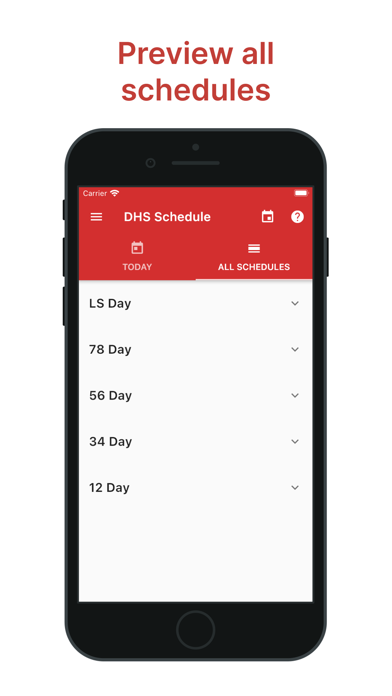
• Preview all schedules
Swipe to the left of the "Today" tab to see a list of all of the daily schedules. Tap on a schedule to see the full schedule, and tap it again to close.
• Jump to a specific date
If you need to view the schedule for a specific date, tap the calendar icon in the top right and type in or select the date you wish to view.
• Receive notifications
Notifications can be sent out 5 minutes before your next class to remind you. To enable notifications, tap the menu button in the top left and enable the notifications toggle.
• Customize your schedule
On the new DHS Schedule App, you can change the name, color, and icon of your schedule to give you a better idea of your daily schedule. Just tap on the class and a customization panel will appear.