
iPhone Screenshots




Description
Codeshot turns code into images worth sharing.
Paste a snippet, pick a theme, and get a clean PNG ready for a blog post, a pull request, a slide, or a post. No screenshots, no cropping, no scrolling back to catch the last line.
READS YOUR CODE PROPERLY
• Syntax highlighting for 61 languages, detected automatically or picked by hand
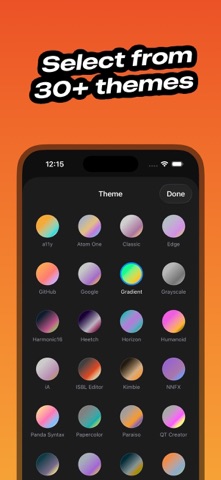
• 60 themes in light and dark, each previewed in its own real colors
• The system's monospaced faces, at any size
• Line numbers and window chrome when you want them, gone when you don't
• Tidy the source first — Swift through swift-format, web languages through Prettier
WRITTEN FOR A PHONE
• Source above, snapshot below — switch panes with a tap
• Pinch to zoom the preview, drag to move it
• Copy code anywhere, open Codeshot, and it is already waiting
• Put the keyboard away with a single tap
BACKGROUNDS THAT DO THE WORK
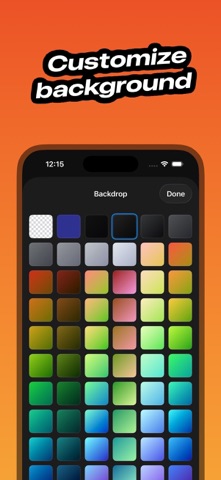
• 92 gradient presets across 14 color families
• 19 built-in wallpapers, or a photo of your own
• Any solid color — or none, and export with a transparent background
• Scale and anchor the image behind your code
SIZED FOR WHERE IT'S GOING
• Tap 16:9, 1:1, 9:16 or any custom ratio and the snapshot pads itself to fit
• Padding, margin and shadow as one-tap presets
• Export at 1×, 2× or 3×
SHARED IN A TAP
• Save straight to Photos, or send it on through Messages, Mail or AirDrop
• Name the window title bar, or leave it off entirely
IN YOUR LANGUAGE
• Arabic, Chinese, English, French, German, Hindi, Japanese, Korean, Russian and Spanish
One purchase covers iPhone, iPad and Mac — and the Mac app adds a theme editor, a saved export folder, and a Shortcuts action. Codeshot is a native app with no network access at all — your code never leaves your device.