
Folio: PDF Scanner & Editor
Scan documents and extract text
Ferdi Kiziltoprak
iPhone Screenshots


Description
Scan documents by pointing the at them. Automatically detect and capture images. Extract text using OCR technology. Save, share, or edit scanned documents. Convert physical documents into digital formats.
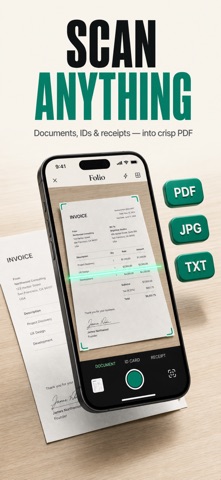
Folio turns your iPhone into a complete document scanner and PDF editor. Point the camera at any page — edges are detected automatically and you get a crisp, clean PDF in seconds.
SCAN ANYTHING
- Documents, receipts, invoices, notes, whiteboards and books
- Automatic edge detection, manual crop anchors and a magnifier loupe for pixel-perfect corners
- Batch scanning: capture multiple pages into a single PDF
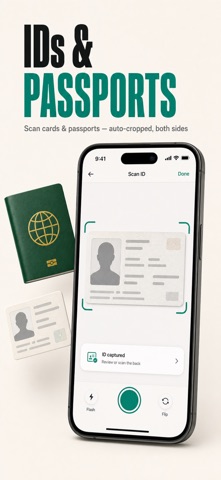
- Passport mode and ID card mode (one- or two-sided on a single page)
- ID & passport photo mode with standard print sizes and a clean white backdrop
- Built-in QR code scanner
SIGN & EDIT PDFs
- Sign documents: draw your signature, save several, and place them on any page
- Add text and images directly onto your pages
- Watermark and page numbers with live preview before you apply
- Redact sensitive information permanently
- Apply tools across multiple pages using the page strip
TEXT RECOGNITION (OCR)
- Extract text from any scan or photo
- Smart document titles suggested automatically from the content
- Copy, share or save the recognized text
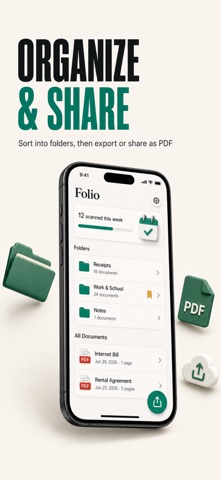
ORGANIZE & EXPORT
- Files browser with list, grid and gallery views
- Custom folders with your own choice of icon
- Dedicated export screen: PDF or images, share, print or email
- iCloud backup keeps your whole library safe and available on all your devices
MADE FOR EVERY DAY
Perfect for students, professionals and anyone going paperless. Optimized for iPhone and iPad, with full support for Dynamic Type and VoiceOver.
Privacy Policy: https://ferdi.app/privacy-policy/pdfScanner
Terms of Use: https://www.apple.com/legal/internet-services/itunes/dev/stdeula/
Support: https://ferdi.app/apps/pdfScanner