
iPhone Screenshots


Description
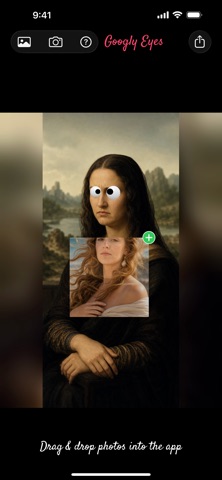
Photo fun recipe: just add eyes. Googly eyes!
* Choose any photo (or take a photo) and the app will automatically add googly eyes to it. If the app recognizes faces in your photo, it will place googly eyes over every eye it detects.
* Drag and drop a photo on the app.
* On the iPhone, you can also add as many eyes as you want by tapping on the logo - on the top bar - and then tapping "Add eyes". On the iPad, tap on the eye button on the top bar.
* Move the googly eyes with your finger wherever you want.
* Change the size, color and position of the eye and the iris by tapping on the googly eye, and then using the presented options to make the changes.
* Copy an image from another app and paste it into this one. To copy an image from Safari for example, long press the image, choose copy from the menu.
* To paste it into this app:
- On the iPhone, tap the logo and choose "Paste an image" from the menu.
- On the iPad tap the paste button on the top left logo bar
* Open a photo directly from Safari:
- long press the photo
- tap "Share"
- in the Share menu, tap "Googly Eyes"
* Added too many eyes to the photo? Delete a googly eye by tapping on it, then tap on the "Delete eye" button.
* Cross eyed or wide eyed? To make all future eyes have the same iris position, tap on the googly eye, then tap on "Save iris position"
* Zoom in and out using your fingers.
* Save the result to your photos