
iPhone Screenshots
Description
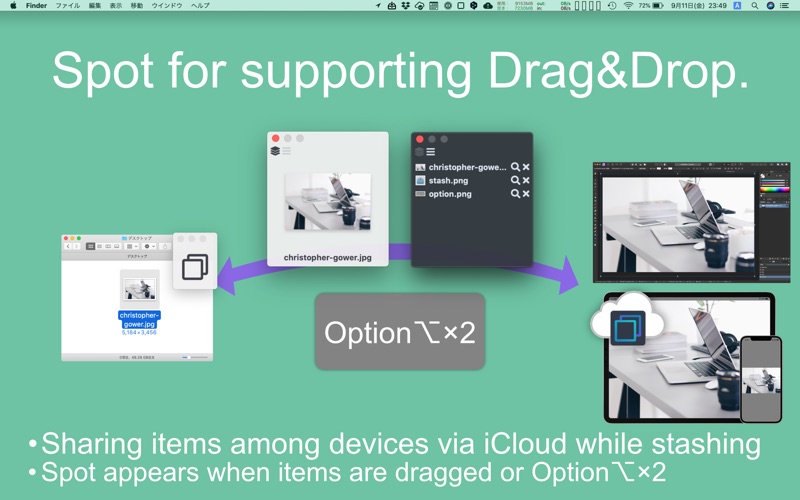
DropSpot supports Drag & Drop.
You can share files among Mac, iPhone and iPad with iOS app.
# Easy - Stash files in three ways.
- Just Drag & Drop files you want to move.
- Double tap option⌥ to appear the spot.(You can change the hotkey)
- Stash files to the spot then drag & drop.
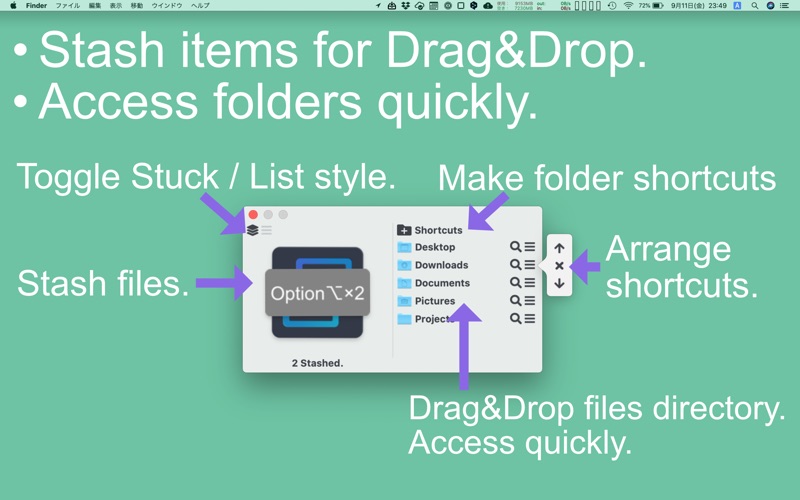
- Directory Shortcuts folders.
- Menubar icon
# Sharing items among devices via iCloud while stashing
- You can see stashed items from other devices while stashing.
- To share from iPhone and iPad, copy items to iCloud DropSpot folder.
# Manage each stashed files(Press SPACE to toggle).
- Drag & Drop each files.
- Delete from stashed.
- Show in Finder.
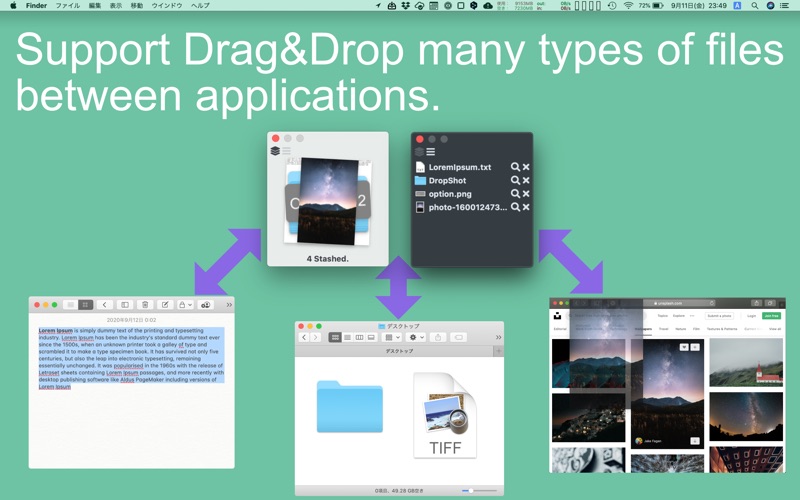
# Support many types of data and applications.
You can drag & drop data from/to Finder, Web Browsers and More!
# Other feature
- Shortcuts folders.
- You can drag & drop files to bookmarked folder.
- You can access shortcuts folder quickly.
- Change HotKey.
- Support Dark mode.