
Easy Find my bluetooth device
Your with signal strength guidance
Maria Mamina
iPhone Screenshots
Description
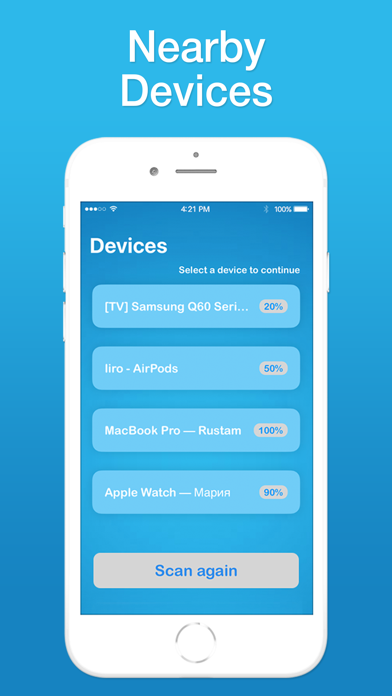
Locate lost devices by selecting them and scanning to increase signal strength. Devices must be powered on and in range. No GPS used. Supported devices include AirPods, Apple devices, and wireless headsets.
Follow simple steps to find your lost device:
1. Open Easy Find
2. Select the device you want to find.
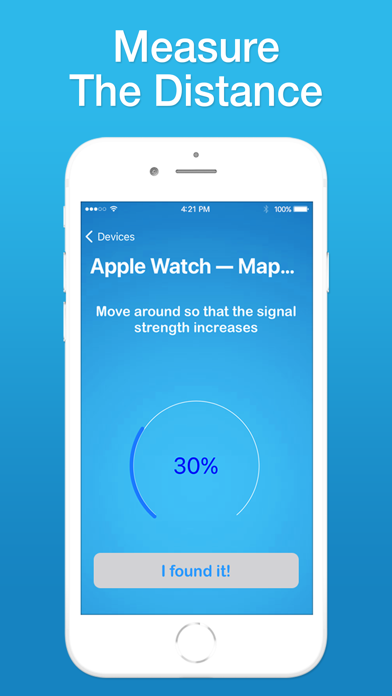
3. Move around and scan to increase the signal percentage.
4. Your device should be near you. (The greater the percentage, the closer you are ).
The devices must be powered on and emitting a Bluetooth signal to track. We are not using GPS, so the device must be in Bluetooth range to be tracked
COMPATIBLE DEVICES
We support the following devices:
- AirPods*
- Apple Devices
- Wireless headphones and earbuds
- Tablets
- Bluetooth speakers
- Bluetooth devices
- Bluetooth case and charger
- Fitness Tracker, Fitbit Tracker
- And many more devices
DISCLAIMER: We are not affiliated with the mentioned companies in any way. We only developed and tested our App with these devices.
* AirPods is a trademark of Apple Inc., registered in the U.S. and other countries.
Terms of Use: http://timrusgroup.com/terms_of_use
Privacy Policy: http://timrusgroup.com/privacy_policy