
Adani Electricity
Register and access with fingerprint or facial
Adani Electricity Mumbai Limited
iPhone Screenshots


Description
Register using a mobile number or account number and log in with fingerprint or facial recognition. Pay monthly bills and security deposits, download payment receipts, and access bill copies and account statements.
The Adani Electricity official app is the latest offering from the new age utility which extends a host of features to its customers.
The features include:
1. Easy registration and login:
a. Register using registered mobile no / Account No
b. Access with Fingerprint / Facial Recognition
2. Payments and receipts:
a. Pay Monthly Bill
b. Pay Security Deposit
c. Download Payment Receipt - Bill Payment
d. Download Payment Receipt - SD Payment
3. Bill Copies & Account statement:
a. Download Bill Copy for last 6 months
b. Download Account statement for 12 months duration
c. Register for Paperless Billing
d. Change Bill Language
4. Complaint registration & status:
a. Register No Supply Complaints
b. Register Streetlight Complaints
c. Check Outage Status
5. Meter Reading:
a. Check Meter Reading History
b. Submit Meter Reading & meter reading image
6. Locate touchpoints:
a. Genius Pay & CCC locations on Maps
7. Other features:
a. Add Multiple Accounts
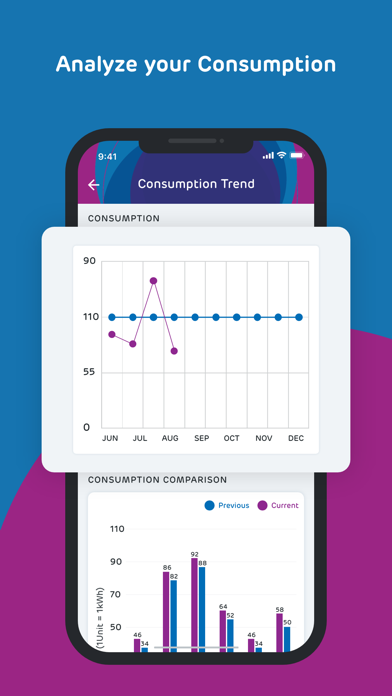
b. Check Consumption Trend
c. Check Payment Pattern
d. Month on Month Consumption Comparison
e. Opt-in for WhatsApp services
f. Chat BOT - ELEKTRA
g. Social Media Pages - plug-ins
h. One touch button for 24x7 Call Center - 19122
All you need:
• An iPhone (iOS 11.0 or above).
• Internet connectivity like GPRS/EDGE/3G/Wi-Fi.
For queries, feedback & suggestions, kindly email us at [email protected] or call 19122.
Do like us on https://www.facebook.com/AdaniElectricityMumbai
Follow us on https://twitter.com/Adani_Elec_Mum