
Column Calendar and Tag Memo
Manage daily memos and schedule notes
Shigeo Fukuda
iPhone Screenshots


Description
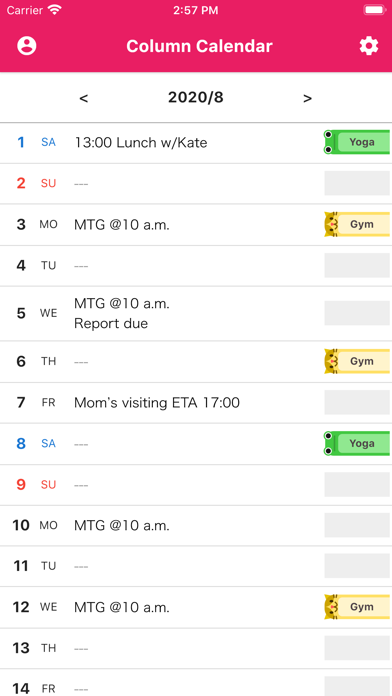
Manage daily schedules with a function for each day. Add sticky note stamps for date marking. Choose from over 30 sticker designs. View in vertical format for easy reading.
No complex function! This is a simple and easy reading vertical calendar application.
With a memo function that can be entered for each day on the calendar! And sticky note type stamps can be used for fun schedule management.
Main Functions
- There is a memo function that can be written by each day.
- A sticky note-like stamp can be added as a mark for each date. Convenient for shift management and so on!
- Over 30 types of sticky note stamps, from cute designs to basic designs.
- Equipped with an event function that can set a period range and reminders.
- Three calendars can be switched for different purposes, such as for work or private use.
- Supports backup/restore.
- A rich variety of theme colors of over 10 types.
- Compatible with iOS14 widget.
Not only cute sticky notes and theme colors, but also many cool and calm designs are available, so it is ideal for task management at work.
In addition, by making full use of the memo function, event function, and sticky note type stamp, you can use it for various purposes such as memorandum, schedule management, diary, to-do list.