
iPhone Screenshots

Description
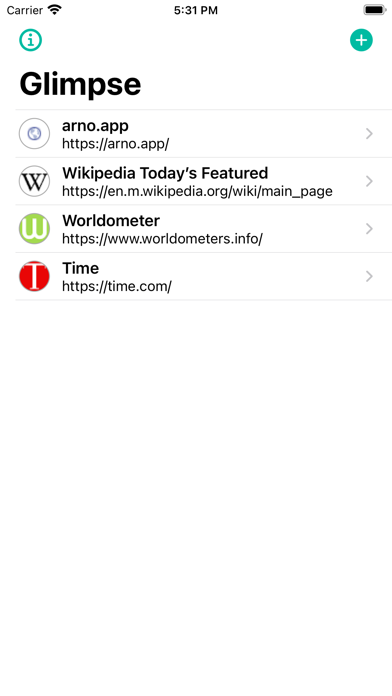
Monitor website updates and check content directly from home screen widgets. Add webpages to , select specific areas for display. Quickly access content without opening browsers. Track data usage and product availability through integrated web pages.
With Glimpse 2 you can always add all your favourite webpages as Widgets to your Homescreen
You want to see if there are news, if there is something new on your favourite webpage, if your long awaited product is available to order or check your used mobile data? You can do all of this with the right webpage inside Glimpse.
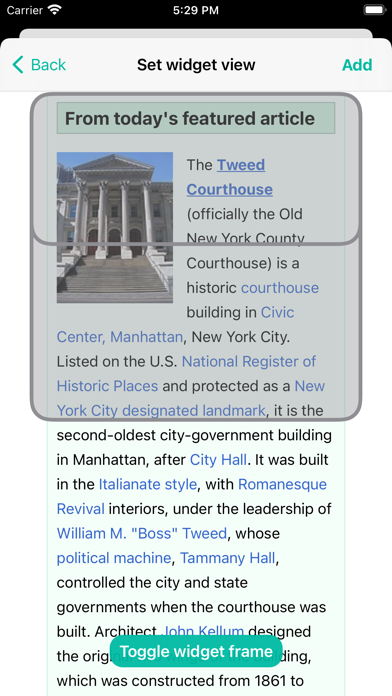
Just add a page to Glimpse. Choose the right area of the page and then this page is inside the Glimpse Widget on your Homescreen.
If you want to open a page quickly, you can do it from by pressing on the Widget and your page will be opened in Safari
You can add multiple widgets for different webpages to your Homescreen. Press firmly on the widget choose edit widget to select your webpage and desired refresh interval.
Features of Glimpse 2:
- Add a page to a Homescreen widget
- When adding you can scroll to a certain area of the page. The widget keeps this position, so that you are always in the right place (Note: Glimpse works best with mobile optimised webpages)
- Individual refresh intervals for your widgets
- You can open webpages from the widget
- Add any page directly from Safari