
iPhone Screenshots




Description
Are you learning through online video tutorials and always wanted to slow the video down or loop certain parts of it? FiveLoop is exactly that.
Set a loop on any video in Safari and let FiveLoop repeat it. Adjust the tempo in 5% steps, transpose the pitch, and play/pause, forward, or rewind - all hands-free, controlled with a foot switch or keyboard (keystrokes or MIDI, over Bluetooth or USB) so you never have to take your hands off your instrument. Use it on any site you like - FiveLoop isn't limited to a preset list of platforms.
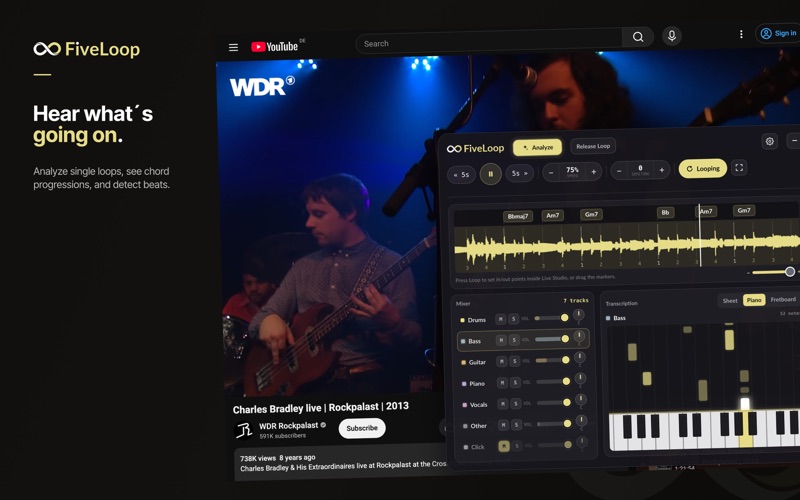
New: Live Studio. Capture a loop straight from whatever's playing in Safari and get an instant musical breakdown - no upload required. FiveLoop analyzes the audio locally on your Mac to give you:
- Stem separation: mute or adjust the volume of individual instruments
- Chord progression estimation
- Note transcription as sheet music, piano keys, or fretboard
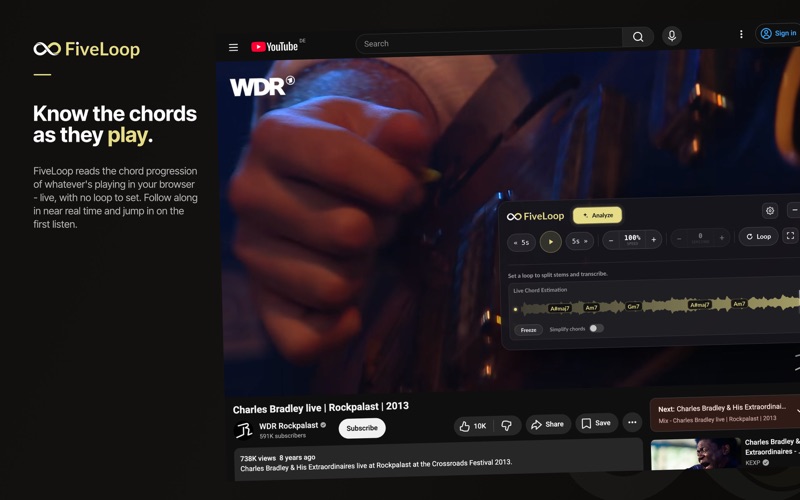
New: Live Chord Estimation. See the chord progression of whatever you're listening to in near real time - no need to set a loop first.
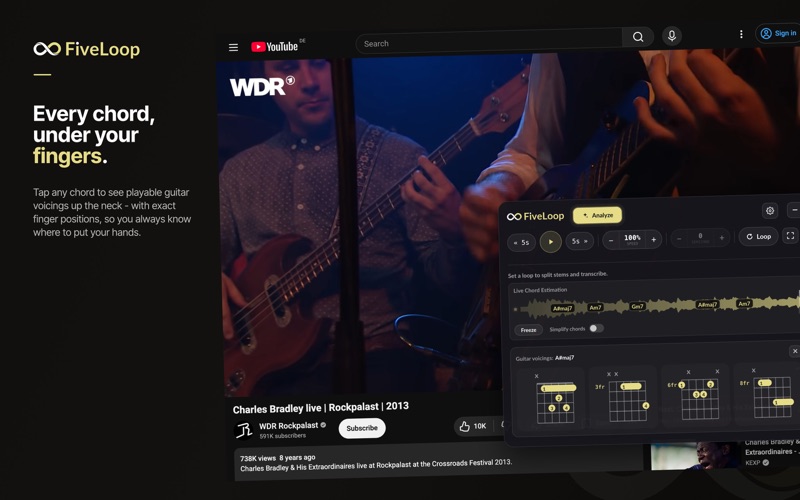
New: Guitar Voicings View. Tap any chord bubble anywhere in FiveLoop to see different ways to play it on guitar, including exactly where to place each finger.
The FiveLoop Mac app is a free background engine that works together with the FiveLoop Safari Extension - the extension captures what's playing, and the Mac app powers the local analysis. It's not a standalone app.
Free vs. Premium: Looping, speed, and pitch control are free and unlimited. Live Chord Estimation and the Guitar Voicings View are also free, with no limits. Live Studio includes 3 free loop analyses per month with limited pitch shift (±5%) and transpose (±1 semitone); Premium unlocks unlimited analyses and full control, and syncs across all your devices with one subscription.
Write to me if you have questions or feature requests.
[email protected]
Terms: https://www.fiveloop.io/terms.html
Privacy: https://www.fiveloop.io/pricacypolicy.html