
iPhone Screenshots


Description
Stamp Calendar - #1 in Visibility, Usability & Style
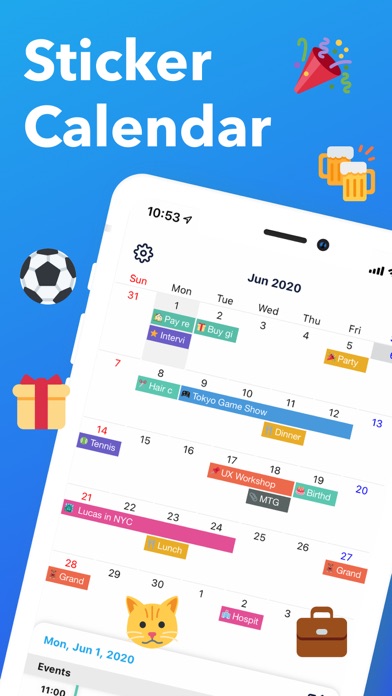
With 300+ stamps and color-coded bars, manage work, family, and activities at a glance.
Features include notifications (5 min to 1 week ahead), recurring events, and Google Calendar sync.
■ Fun & Clear Schedule with Stamps!
Choose from 300+ stamp varieties!
Make your calendar not only organized but visually delightful!
■ See Your Schedule at a Glance
Distinguish work and personal plans with color-coded bars for easy viewing!
Stamps make it even clearer!
■ Never Miss an Event with Notifications
Set detailed reminders from 1 week to 5 minutes before, so you'll never forget important events!
■ Choose Your Favorite Theme
Customize the app design to match your style!
New themes are regularly added.
■ Recurring Events
Easily set up repeating schedules like "Every Monday" or "1st of every month."
■ Simple & Intuitive Event Entry
No unnecessary features—simple operations anyone can master!
■ Google Calendar Sync
Sync with Google Calendar to view and create events seamlessly.
【Recommended For】
・Cute Design Lovers: Decorate your calendar with stamps like a fun diary
・Busy Professionals: Color-coding and notifications prevent oversights; quick entry saves time
・Not Tech-Savvy: Large, easy-to-read UI—no confusion
・Busy Parents: Manage family schedules with color-coding; set kids' activities with recurring events
【Premium Plan (Subscription)】
■ Ad-Free Experience
Subscribe to Premium Plan to remove all ads and enjoy a more comfortable calendar experience.
■ Payment & Auto-Renewal
・Payment will be charged to your Apple ID account upon confirmation of purchase
・Subscription automatically renews unless cancelled at least 24 hours before the end of the current period
・Your account will be charged for renewal within 24 hours prior to the end of the current period
■ Managing & Cancelling Subscription
You can manage and cancel your subscription at any time:
Go to iPhone "Settings" > "Apple ID" > "Subscriptions" > Select this app
■ Free Trial (※If applicable)
New users can try Premium for 7 days free. After the trial period, it will automatically convert to a paid subscription.
Terms of Use: https://www.notion.so/Terms-of-Use-287d433b690d8069bedee334eb0a7af3