
iPhone Screenshots



Description
Create templates for pixel-based creative projects by selecting and scaling images from the photo library. Crop using pinch gestures. Choose from predefined palettes and set output size.
Bead Master Pro is a helper app for your pixel-based creative projects - melty beads, LEGO, embroidery, cross stitch, Minecraft and anything else built one square at a time.
Pick any image from your photo library, then pinch to scale and position it exactly as you want it. Choose from a range of ready-made palettes, set the size that suits your project, and the app turns the photo into a pattern you can actually follow.
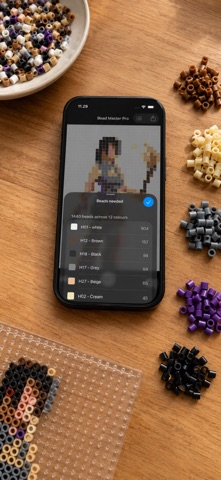
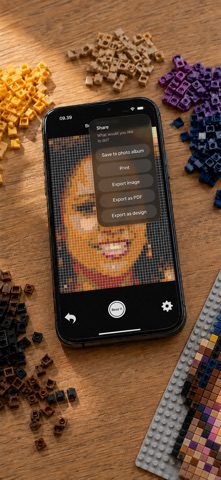
Before you start building, tap the list button to see precisely how many beads of each colour the pattern calls for. When you are happy with it, save the pattern, print it or export it - printouts and PDFs include the full colour chart.
Features:
Palettes for Hama, Artkal, Nabbi, Perler, LEGO, C64, DMC yarn, ZX Spectrum and Apple II
Import your own palettes as CSV files from the Files app
See the number of beads needed for every colour, on screen
Preview and save your pattern as pixels, dots or crosses
Dithering of photos, based on Floyd-Steinberg
Export to PDF with a colour chart
Export to the editable LMI format
Print with a colour chart
Boards up to 128 columns
Adjustable default settings
Undo, to step back or start over
Available in English, Danish, German, French, Spanish and Japanese
Instructions:
Tap the main area to choose an image
Pinch to zoom and position it
Tap the gear icon for palette, size and grid options - more are available in the app's settings
Press the white button to create your pattern
Tap the list button to see the beads you need, or the share button to save, print or export
Please mail bugs, requests and suggestions to [email protected].
Credits for bead RGB colours to lordthanda.
Happy creativity :)