
PicMerger Edit Pics & Collages
Create , add text, watermark photos
Andrew Lee
iPhone Screenshots




Description
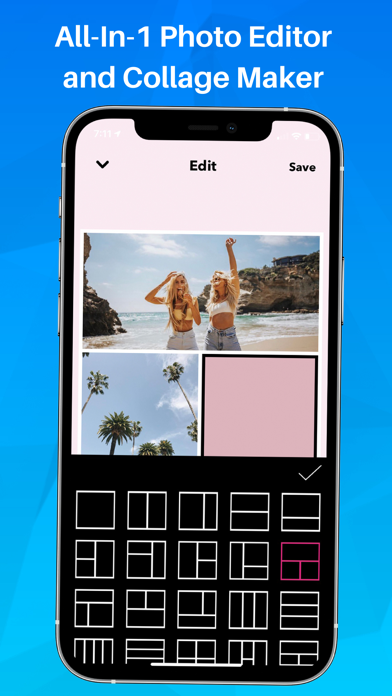
Create photo using 200+ built-in templates. Add watermarks and text to photos. Resize images for Instagram. Customize with 100+ stickers. Save in high resolution. Apply custom frames. Adjust photo textures.
PicMerger has everything you need to edit and create beautiful photo collages all in one place.
Here’s what you can do with PicMerger:
● Create photo collages with over 200+ easy to use built-in templates (Premium)
● Make watermarks and add text to photos
● Size photos perfectly to fit Instagram dimensions
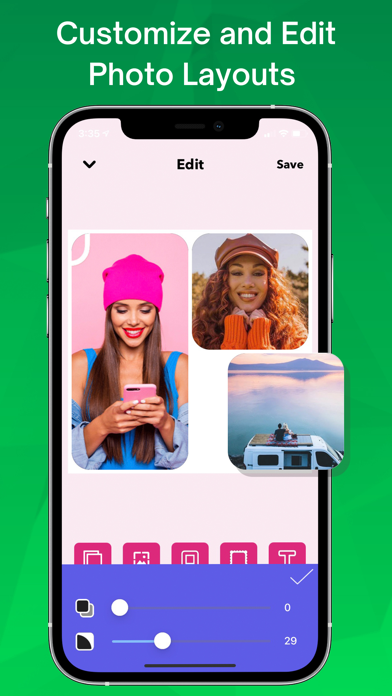
● Customize your photo collages with 100+ custom stickers
● Save your images in High Resolution
● Use custom frames to make your collages unique (Premium)
● Change the textures of your photo collage borders (Premium)
● Customize the borders and shapes of your collages (Premium)
● Add overlay text and emojis to your collages
● Stitch together photos for before and after photos
● Stitch together screenshots of text conversations into one organized image
————————————————————
◆ The easiest way to stitch photos and screenshots together ◆
Here’s how to combine photos on PicMerger:
1. Upload the photos you want to stitch together to PicMerger
2. Place the pics in the order you want
3. Tap the "Stitch It" button
4. Your photos will be instantly stitched together (which you can then save to your camera roll on your phone)
————————————————————
With PicMerger Premium, you get access to the full app:
● NO LIMITS
● NO ADS
————————————————————
Connect with us on Instagram and Twitter:
@PicMerger
Have any questions or recommendations? Feel free to reach out to me at:
[email protected]
Contact: https://andrewlee.ventures/contact
Privacy Policy: https://picmerger.com/privacy
Terms Of Use: https://picmerger.com/terms-of-use