
iPhone Screenshots
Description
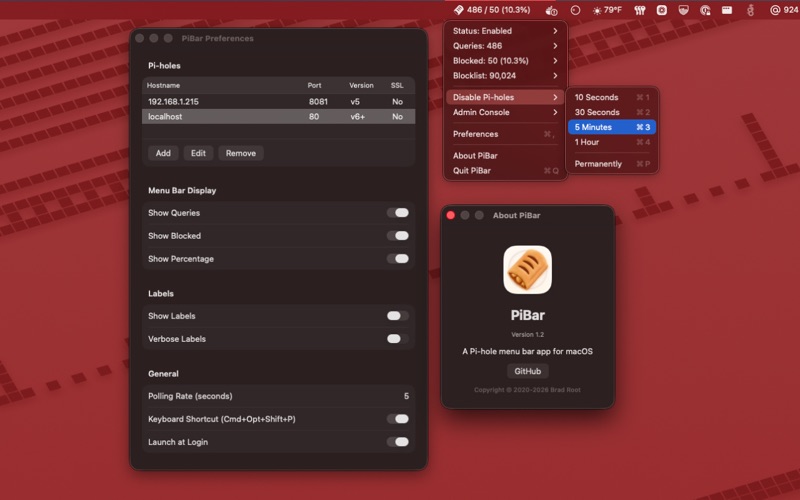
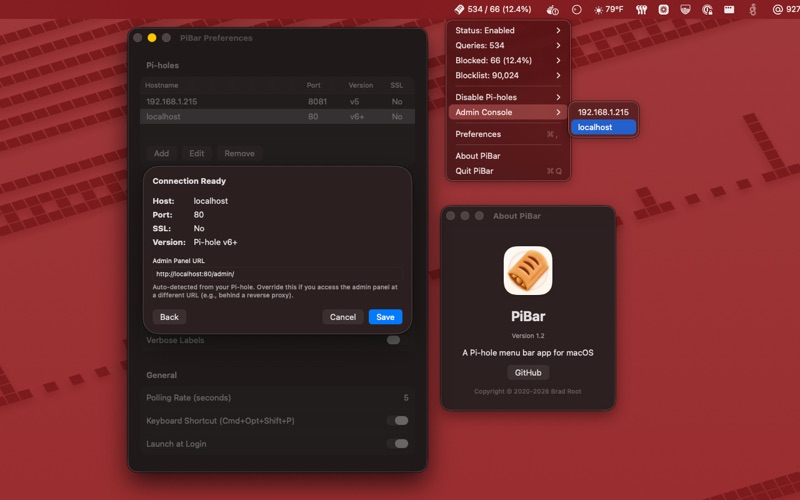
PiBar gives you all the tools you need to manage your Pi-hole(s) right from your macOS menu bar.
• Supports both Pi-hole v5 and Pi-hole v6+
• Display DNS query stats in your macOS menu bar
• Supports multiple Pi-holes (inc. quadruple failover setups!)
• Toggle your Pi-hole(s) on/off from the menu or anywhere via Cmd+Option+Shift+P keyboard shortcut
• Displays warnings if any or all of your Pi-holes are inaccessible or disabled
• Pi-hole v6 session auto-refresh with saved password support
• No capital "h" in the word "hole" in the app or in the code
• Beautiful app icon
• Supports macOS 15 (Sequoia) and later
How to get started:
1. Launch PiBar
2. Click on the PiBar icon in your menu bar and go to Preferences
3. Click Add and enter your Pi-hole's hostname or IP address
4. PiBar will automatically detect your Pi-hole version and settings
5. Enter your password (v6) or API token (v5) if prompted
6. Add more Pi-holes if you have them :)
7. Adjust your menu bar display preferences
8. Close the Preferences window and enjoy!