
EVA Check-in | Visitor sign-in
Scan QR codes and confirm details
Theta Systems Limited
iPhone Screenshots



Description
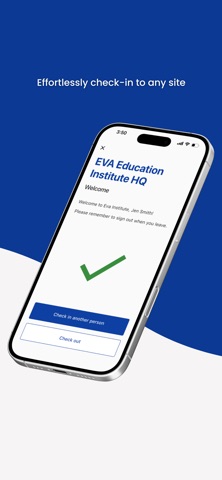
Scan QR codes to sign in at workplaces. Confirm details and select visitors. Answer additional questions if required. Sign out upon departure. Store personal records.
The fast, secure, and contactless sign-in app for visitors, contractors, and staff at workplaces using EVA Check-in.
How it works
Use the app or your phone camera to scan EVA Check-in QR codes (displayed on posters or the EVA Check-in kiosk).
Quickly confirm your details, optionally select who you are visiting and answer any additional questions required by the workplace as part of your sign-in.
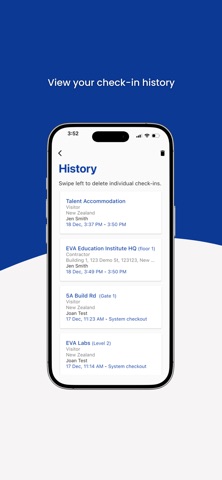
As you leave the site, sign out via the app. The app keeps a personal record for you of places you’ve been – across all sites that use EVA Check-in.
Your profile will be securely remembered to save re-entering your details if you regularly visit the same site. You can store multiple profiles and check-in multiple people from the same phone.
Optional extras
If the site you’re visiting has this enabled, you’ll be able to:
• Opt-in to use geofence check-ins - put sign-in/out on autopilot
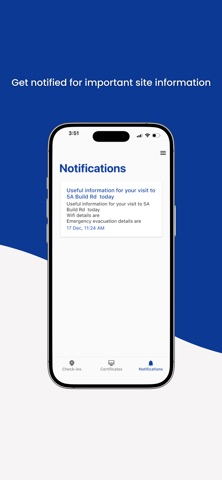
• Get on-site alerts from the site administrator
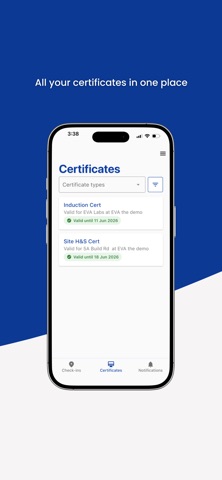
• View any certificates you've been granted - for example, inductions and safety orientations
• Report site hazards, including uploading photos
EVA Check-in customers may also enable specific visitors/staff to:
• Start an evacuation from the app and conduct roll calls
• See who is on site right now
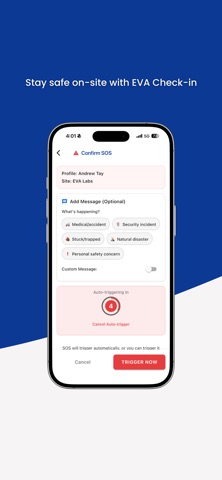
• Raise an SOS request for help
Data security
All check-in data is encrypted, sent, and stored securely. Workplaces select data retention rules to suit their business requirements.