
iPhone Screenshots
Description
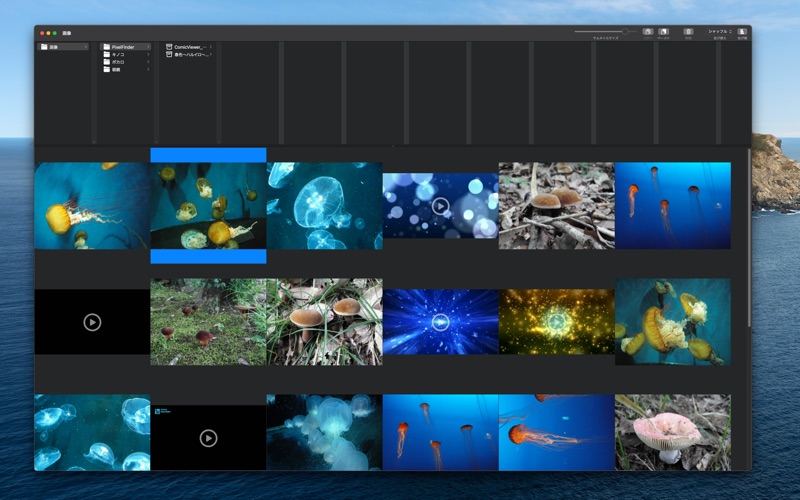
PixelFinder is a fast, Finder-style media browser for the Mac. Browse huge collections of images, videos, and archives with a familiar column view — perfect for photo libraries, comics, and reference material.
■ Highlights
• Column-view navigation
Drill into nested folders the same way you do in Finder. Reach deeply nested images in just a few clicks.
• Images from subfolders, too
Pick a depth (Off, 1-5, or All) from "Subfolders" in the toolbar to include images from nested folders in the same grid. It works for Zip and RAR archives too, and the setting is remembered per folder.
• Wide format support
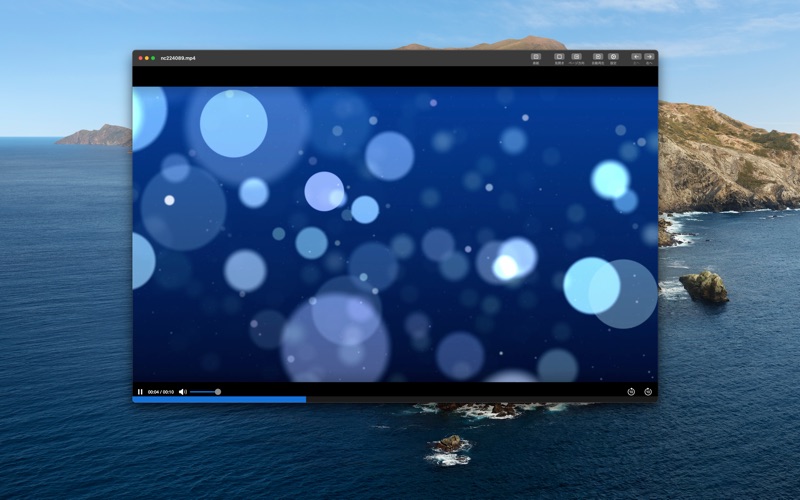
In addition to common image formats like JPG, PNG, and HEIC, PixelFinder plays animated GIFs, WebP, and video files.
• Fast thumbnail grid
Browse thousands of files smoothly. Hover over animated images or videos to preview them inline — no extra click needed.
• Seamless Finder integration
Drag & drop and copy & paste to move or duplicate files between PixelFinder and Finder.
• Built for reading
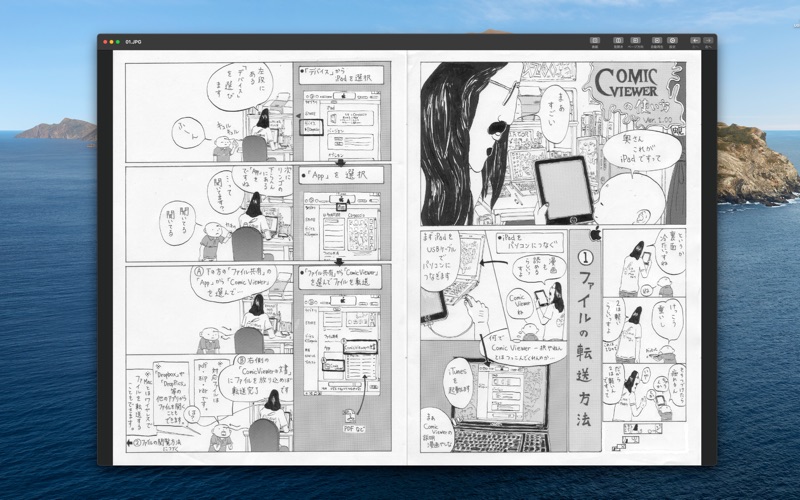
Single-page and two-page spread, left-to-right or right-to-left binding, full-screen mode, and automatic slideshow. Ideal for manga, art books, and documents. View settings are remembered per folder.
• Browse inside archives
View images inside ZIP, RAR, and PDF files without extracting them first (in-app purchase).
■ Great for
• Organizing screenshots and photos by folder
• Reading comics, art books, and scanned documents
• Quickly finding the right reference image in a large collection
If you’re looking for a lightweight image viewer that still has the polish you’d expect from a great Mac app, give PixelFinder a try.