
iPhone Screenshots



Description
Scan any text and read it your way.
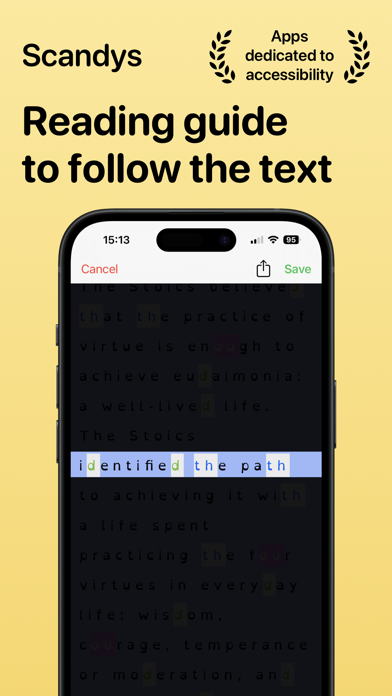
Photograph a document, a book page or a handout: Scandys recognizes the text and reformats it instantly to your reading preferences — spacing, font, size and colors. Save your texts to read them again later.
WHY SPACING MATTERS
In a controlled study published in PNAS (Zorzi et al., 2012), increasing the space between letters immediately improved reading accuracy in children with dyslexia — with no training. Scandys lets you adjust the spacing between letters, words and lines precisely, so you can find the level that feels comfortable for you.
YOUR READING PREFERENCES
- Adjustable spacing between letters, words and lines
- Text magnification for easier viewing
- A wide choice of fonts, including OpenDyslexic (a typeface created for dyslexia that some readers find more comfortable), Helvetica, Andika Basic, Arial, Gill Sans, Optima, Trebuchet MS, Verdana and more
- Customizable text and background colors for your visual comfort
HOW IT WORKS
1. Take a photo with your iPhone or iPad camera
2. Scandys detects and recognizes the text automatically
3. The text is displayed with your settings — adjust, read, save
Scandys is an accessibility tool: it adapts documents to you. It does not diagnose or treat dyslexia.
PRICES
Scandys requires a subscription (monthly or annual plans). You can try all settings with a limited preview. All plans unlock the app on Mac, iPhone and iPad.
Terms of use and privacy policy: https://www.michaeldardol.com/scandys/privacy