
iPhone Screenshots
Description
Monitor and control boat systems with real-time data display. Connect to Signal K servers, NMEA 0183 devices, Navico MFDs, NMEA 2000 networks, and Victron Venus GX. Customize dashboards, view sensor data, and manage device settings remotely.
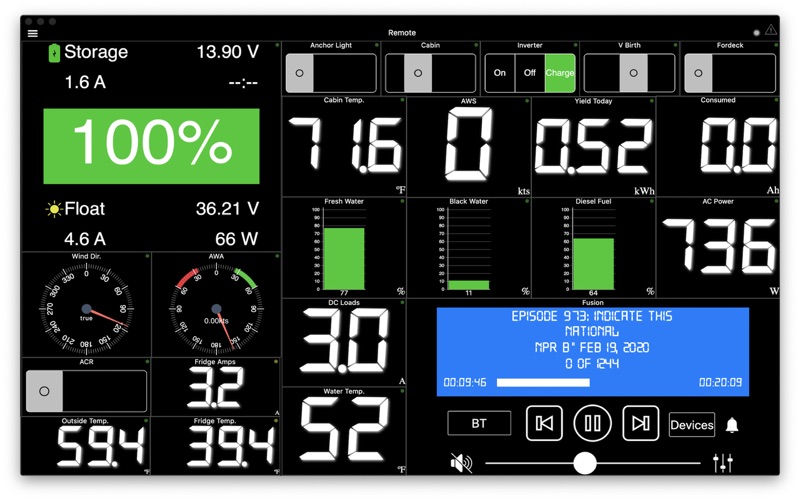
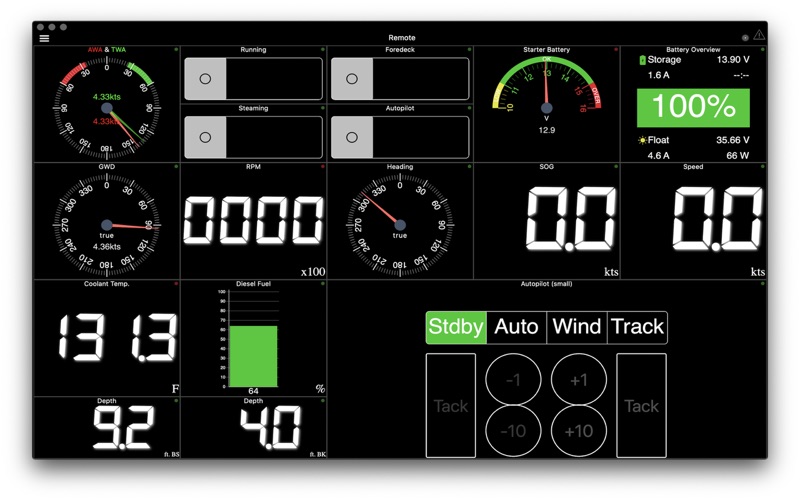
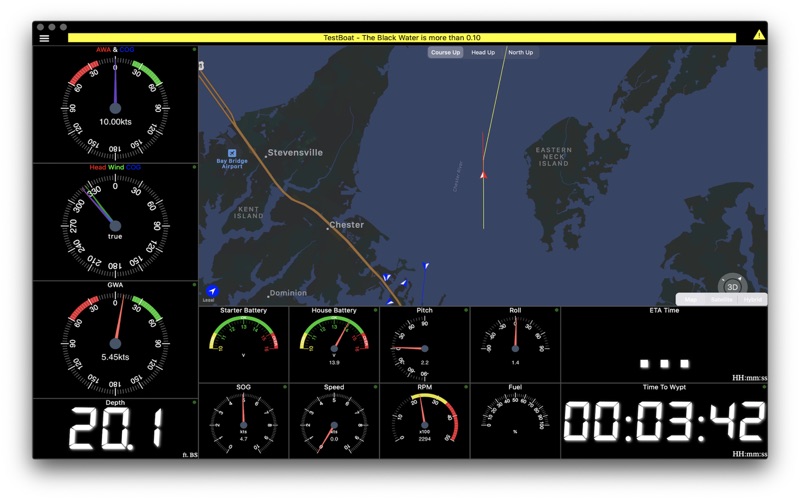
WilhelmSK is a highly customizable display, monitoring and control dashboard for your boat.
WilhelmSK can connect to a Signal K server like the Signal K Node Server or a Signal K gateway like the iKommunicate.
It can also connect directly to some devices:
º NMEA 0183 over TCP or UDP. (from for example, Digital Yacht's Smart WLN10)
º Any modern Navico (Lowrance, Simnet or B&G) GoFree MFDs
º NMEA 2000 via Yacht Device's YDWG-02
º NMEA 2000 via Actisense's W2K-1
º Victron Venus GX or CCGX
º Victron VRM
RayMarine Auto Pilot Support (via node-server or the YDWG only)
º View or change current mode (Standby, Auto, Wind, Track)
º View current target heading or Wind direction
º Change target heading or Wind direction
º Acknowledge "Turn To Waypoint'
Active Captain:
º You can view Active Captain Points of Interest and review or comment on them.
º Go to Settings->Appearance to show Active Captain Points of Interest on the maps.
Alarms and Notifications
º View list of current current alarms
º Acknowledge RayMarine "Turn To Waypoint' *
º Push notification support *
º Setup server side alarms *
º Set an anchor alarm with the push of a button *
Features:
- Fusion stereo (control zone volumes, source input, play, pause etc.)
- Create a gauge for any value available via SignalK
- Sophisticated anchor alarm (requires node server and signalk-anchoralarm-plugin)
- Customize gauge display using SignalK meta.zones
- Customize gauge range, min/max, etc.
- Save custom gauges to node server or the cloud for use on other devices
- Wind Angle gauges can optionaly be rotated so that they always point ot the bow of the boat, regaurless of device positioning
- Place gauges by long pressing on a gauge and choosing a differnt one
- Make a gauge full screen by double tapping
- Multiple layout support. Create a differnt layout for Steaming, Sailing, Home Monitoring, etc.
- Customize the nuber of pages and their layout
- Manuall connection configuration synced accross devices via iCloud
- Automatic connection selection based on current ip (usefull when Bonjour is not available and you have multiple boats)
- Two themes, dark and light
- Animated gauge needles
- iPad Slideover and Split View support (Your gauge configuration can be customized for these views)
- Connections can be configured to be refreshed manually or at a specific time interval
- Design your own custom gauge templates
- Share your custom templates via Air Drop, eMail, Text, etc.
- Edit ApplyTV or other device layouts and templates remotely using your iPhone or iPad
- Most gauges can be configured to be digital or analog
- Enter the SignalK path and title for any gauge to show data not supported by default
- Displays AIS targets in the Map views
- Configure node server plugins inside of the app
- IP and RTSP camera display
* Some advanced features require signalk-server-node and special plugins installed. Setup Instructions at https://github.com/sbender9/wilhelmsk-node-server-setup