
iPhone Screenshots




Description
Control Studio VRA Module for audiometric testing. Perform Conditioning, Manual Testing, and Automatic Testing. Use cartoon videos to elicit responses from children aged 6 months to 3 years. Record and review test results.
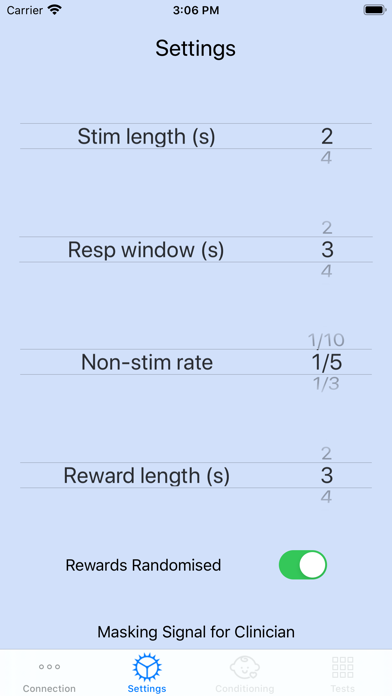
VRA Audiometry Control for the MedRx hardware. The iOS App allows control of the MedRx Studio VRA Module. The iVRA app has three test options: Conditioning, Manual Testing and Automatic Testing.
Visual Reinforced Audiometry is a test designed for pediatrics when the child is too young for normal pure tone testing. This test is typically performed with children 6 months to 2-3 years of age. The iVRA system utilizes cartoon videos reward system to help determine responses from the child.
General Use:
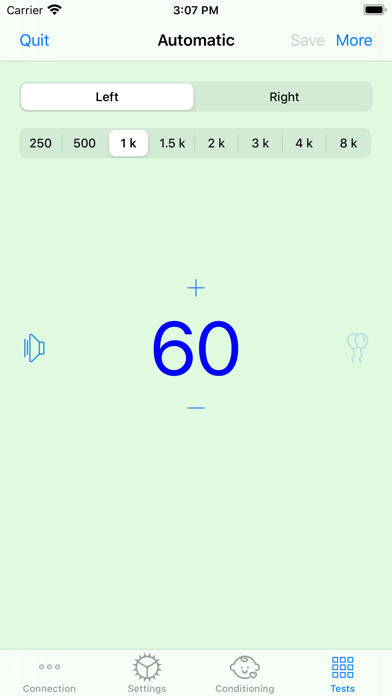
Swipe left on a number to present stimulus
Swipe right to display a reward (must present a tone and be within response window(s) to display reward)
Swipe up to increase level
Swipe down to decrease level
Conditioning Mode: The conditioning mode allows you to present rewards without linking to a presentation stimulus. This is designed to allow a tester to condition the child to receiving visual rewards in preparation for the test procedure. No data is stored from conditioning mode.
Note: In conditioning mode, the side last presented is where the visual reward will be presented. To change presentation rewards
Manual Mode: The manual mode will allow for manual testing. You can choose level, frequency and ear in which you to present tones. Catch trial are still present in manual mode. Double tap the number to save a threshold. All data presented will store inside of the Studio log files when saving data. You must save the data for the thresholds to transfer into Studio.
Automatic Mode: The automatic mode will allow for automatic testing. In this mode, you can select frequency and starting level. Once you present a tone for a frequency, the level will be adjusted automatically until threshold is determined for the frequency. Continue with next frequency until all desired testing is completed. All data presented will store inside of the Studio log files when saving data. You must save the data for the thresholds to transfer into Studio.
Detailed instructions are available within your MedRx Studio audiometer manual. Please consult the manual for further instructions.