
iPhone Screenshots



Description
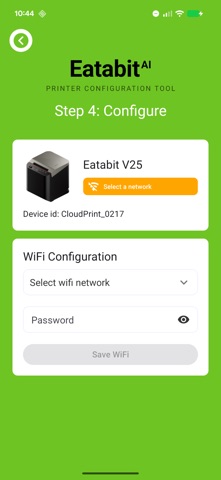
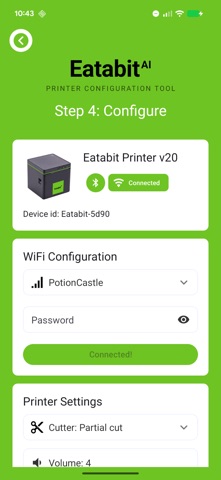
The Eatabit app is the fastest way to get your Eatabit cloud printer online. Pair with your printer over Bluetooth, connect it to your WiFi network, and start printing orders in minutes.
SUPPORTED PRINTERS
• Eatabit V4
• Eatabit V20
• Eatabit V25
SIMPLE STEP-BY-STEP SETUP
1. Choose your printer model
2. Scan for nearby printers
3. Connect and pick your WiFi network
4. Configure and print
PRINTER TOOLS
• Update WiFi settings any time
• Adjust cutter behavior and alert volume
• Run diagnostics and reset your printer
• Order replacement paper right from the app
Eatabit cloud printers deliver online orders straight to your kitchen — no tablet required. This app handles setup and configuration; orders flow automatically once your printer is online.