
My Quran AIS
Read verses, listen, and memorize Quranic content
Smart Learning Inc.
iPhone Screenshots

Description
Students access individualized assignments, read verses, listen to audio, record memorization responses, and submit them. Parents log in to monitor progress and manage student accounts.
The app helps students read, hear and memorize the verses of the Holy Quran. Login credentials are issued to the parents for all active and registered students of the Quran program. by the school.
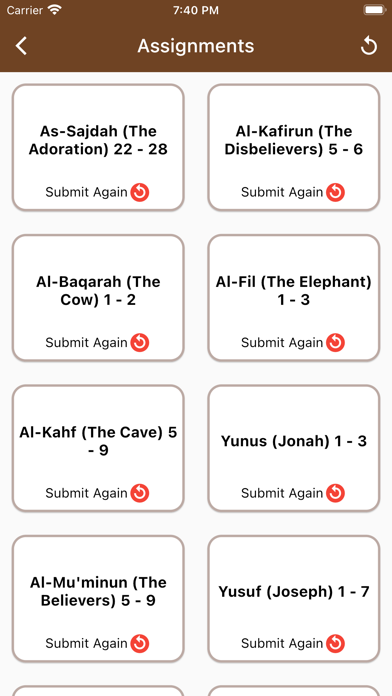
For every student, individualized assignments are created by their Quran teacher.
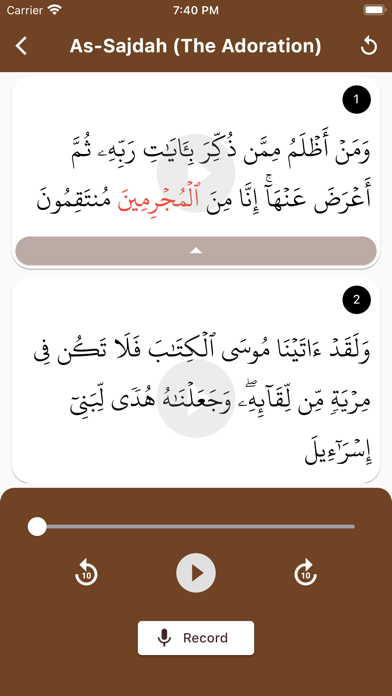
Students can log in to the App to access their assignments, read the verses, listen to the audio for each verse, record their audio responses from their memory and submit the recorded responses to complete the assignment.
Quran teachers have the option to accept or reject student assignment submission as well as provide feedback as audio messages.
Recently completed assignments are displayed for reference.
Parents are responsible for logging in their children to the app as well as monitoring their online activity.
For more information of school’s instructional practices as well as child protection policies please read the Family Handbook at https://americanislamic.school/wp-content/uploads/2019/12/AIS-Family-Handbook.pdf
Also, please read our Privacy Policy to know how we collect and use relevant user information. Our Privacy policy is available at https://americanislamic.school/wp-content/uploads/2019/12/AIS-Privacy-Policy.pdf