
iPhone Screenshots






Description
PayWho — Quick Bill Splitting for Groups
Going out with friends? Someone paid for dinner, someone else grabbed the cake, and not everyone shared every item. PayWho handles exactly this — no spreadsheet needed.
HOW IT WORKS
Just 3 steps:
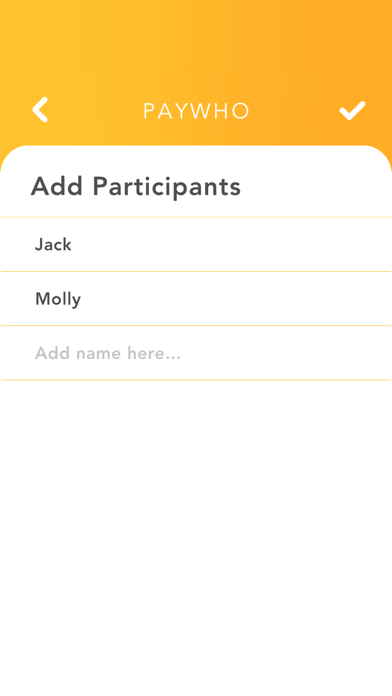
1. Add your group — enter everyone's names
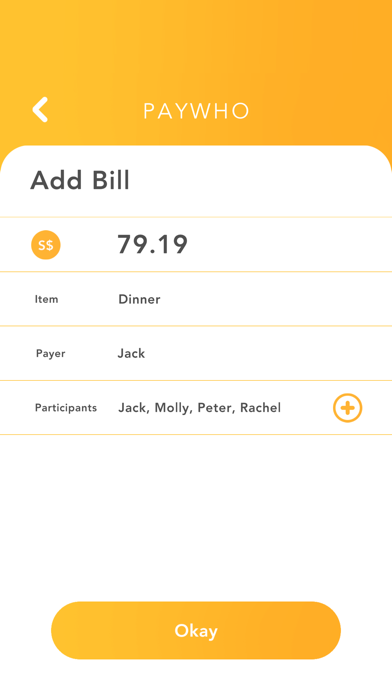
2. Add the bills — set the amount, who paid, and who's splitting it
3. Hit Split Bill — PayWho calculates exactly who owes who, and how much
PayWho consolidates all the individual bills into the simplest possible set of transactions. Instead of a web of payments between everyone, you get a clean list: "Ben pays Alice $46.67, Claire pays Alice $30.00" — done.
PERFECT FOR
- Birthday dinners & parties
- Group holidays & trips
- Gatherings where different people paid for different things
- Any situation where you just want to settle up fast
WHY PAYWHO
No login required — open and go
No in-app purchases — completely free
Works offline — no internet needed
Handles multiple bills with different payers and different participants
Clears up in seconds — made for settling up on the spot
The name? A nod to PayLah and PayNow — because after PayWho tells you the breakdown, you know exactly who to pay.