
iPhone Screenshots



Description
Watch live TV anytime and anywhere on iOS. Import unlimited M3U playlists from remote or local sources. Play custom streams with built-in media player. Use AirPlay for full-screen display. Enable background playback for audio or video.
StrymTV turns your iPhone and iPad into a fast, elegant M3U playlist player — watch your own live TV and streams anytime, anywhere.
Bring your own remote or local M3U playlists and play them in a clean, redesigned player built to feel right at home on iOS.
WHAT YOU CAN DO
Unlimited playlists
- Import as many remote or local M3U playlists as you like.
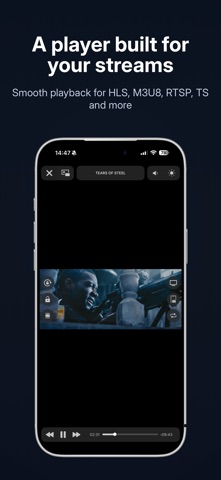
Powerful built-in player
- Smooth playback for your own live and on-demand streams.
- AirPlay to an external display in full screen.
- Background playback — keep listening with the screen off or while using other apps.
- in App - Picture in Picture — keep watching while you look for another channel.
Broad format support
- HTTP, HLS, M3U8, MMS, RTSP, TS, MPEG-TS and more.
Auto-updating playlists
- Keep your remote playlists fresh automatically.
Playlist manager
- Organize, edit and preview your local playlists with ease.
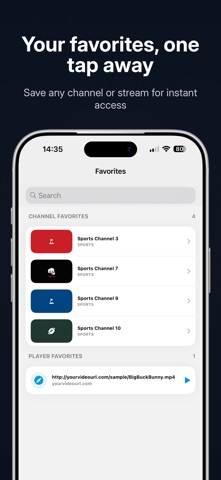
Favorites
- Save any channel or stream for one-tap access.
History
- Replay, copy or edit your recently played streams.
Open and share with URL schemes
- Open any stream instantly with strymtv://player/YOUR-STREAM-URL from a browser or shortcut.
- Share your playlists with a tap.
Fast, intelligent M3U parser
- Large playlists load quickly and reliably.
IMPORTANT — BRING YOUR OWN CONTENT
StrymTV is a player only. It does not provide, include or host any channels, media or content, aside from a few royalty-free sample streams:
- Big Buck Bunny — Creative Commons Attribution 3.0
- Sintel — Creative Commons Attribution 3.0
- Tears of Steel — Creative Commons Attribution 3.0
You must supply your own streams and playlists. StrymTV has no affiliation with any third-party provider. Please do not stream copyright-protected material without the copyright holder's permission.
All content shown in the screenshots is for illustration only and is not included in the app.
Privacy Policy: https://strymtv.com/privacy-policy/
Terms & Conditions: https://strymtv.com/conditions/