
Walker's Link
Adjust ambient volume and modes
Good Sportsman Marketing, LLC
iPhone Screenshots




Description
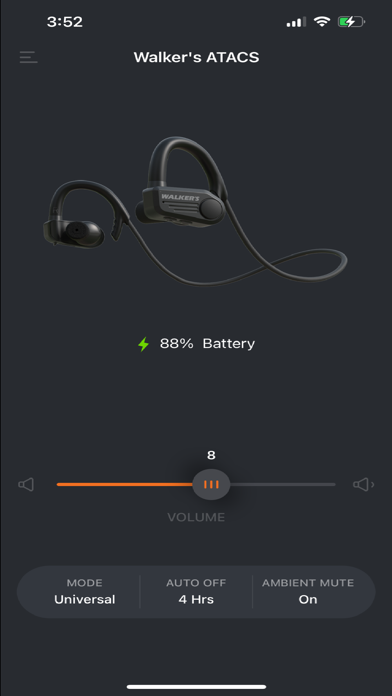
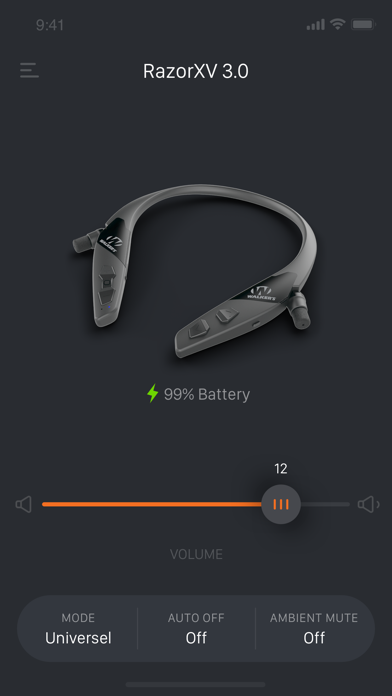
Adjust ambient volume and select modes for Walker’s headphones. or un- ear bud ambient volume. Access exclusive features like Ambient Mute and Auto Shutoff. Control audio settings directly from the .
An app experience made by Walker's users.
Walker’s LINK users can change Ambient Volume and Modes same as on your headphones, but they also gain access to LINK, Ambient Mute, and Auto Shutoff features all exclusive to the app. Developed specifically for Walker’s headphones, this app will instantly elevate your experience.
Features:
Change ambient volume settings
LINK:
Link and un-link your ear bud ambient volume.
Mode: (Not supported with Raptor)
Quickly adapt to any environment with four ambient listening modes.
1. Universal
2. Clear Voice
3. High Frequency Boost
4. Power Boost
Auto Shut Off:
Conserve battery life with the Auto Off feature, this feature will automatically power off your headset after a period of inactivity.
1. Off
2. 2 Hours
3. 4 Hours
4. 6 Hours
Ambient Mute:
Allows the user to mute the ambient pass through microphone with one touch.
ON
OFF
The Walker's Link currently supports:
Disrupter
ATACS
Raptor
Razor XV 3.0
Silencer BT / ISOLATORS
Silencer BT 2.0 / RESTRICTORS
(Only the above devices will work with this APP)