
Incognito — Private Browser
Open links privately and securely
Overdesigned, LLC
iPhone Screenshots





Description
Open web pages directly from other apps using a long-press or share action. Disable cookies and manage privacy settings to prevent history tracking. Lock web history and bookmarks to restrict access. View pages without switching to a default .
Incognito is a private web browser you can pull up anywhere. From any app: long-press a link or select text, tap Share, and then choose the Incognito action extension. Boom: instant web browser!
Need to lock people out of your web history or bookmarks? Incognito can do that too!
Incognito is great for:
• Viewing a web page inside the current app without jumping to Safari.
• Opening sketchy links without risking your privacy.
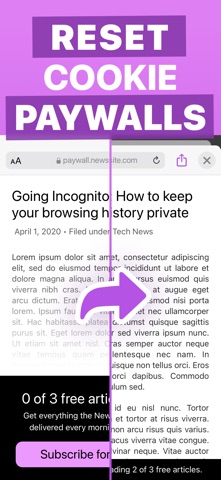
• Reopening a web page with cookies disabled — and yes, that means Incognito lets you dodge most paywalls.
• Searching Google from anywhere — just select the text you want to search, choose “Share” from the popup menu, and then choose the “Search in Incognito” action.
• Searching with something besides Google: use Kagi, DuckDuckGo, Bing, Brave, Qwant, Yahoo, or whatever search engine you prefer.
• Keeping your web history and bookmarks private and passcode-locked. Or you can disable browsing history and leave no trace!
Incognito is also a Swiss Army Knife of web tools:
• Open a page in another browser such as Safari, Chrome, Firefox, Opera, Brave, or DuckDuckGo.
• Remove AMP so you can browse or share the original URL.
• Translate the page using Google Translate (beta).
• Open a web page with the archive.today service (Incognito is not affiliated with archive.today or archive.is).
• Save a PDF of an entire web page.
• Set Incognito as your default browser.
• Clear your session history.
Incognito is all about privacy:
• All web browsing is in “private mode” by default, so all cookies and web data are discarded after each session.
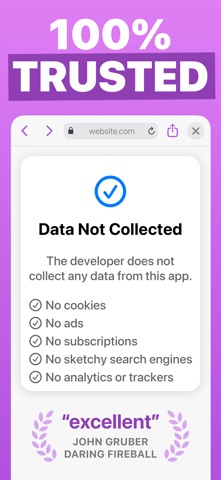
• Incognito has no ads, no third-party trackers, and does not send or re-route your web searches anywhere.
• If you require extra privacy, Incognito has options to disable browsing history and/or exclude it from your iCloud Backups.
Incognito is paid upfront with a small, one-time fee. There are no subscriptions, in-app purchases, ads, or deals with sketchy "search engines" like many of the "free" so-called private browser apps. You can trust me with your privacy because you know how I got paid: once, by you, that's it.
Incognito was created by an independent developer living in California.