
iPhone Screenshots

Description
When you make use of Visual Studio for Mac to build multi-platform apps with Xamarin Forms, you can make them support multiple languages by adding so called RESX files. A RESX file is an XML file with a certain structure that contains your language resources.
Visual Studio for Mac does not provide an easy way to edit these files, though; you have to edit the XML by hand.
Enter this RESX Editor app!
Use this app to easily edit your language resources.
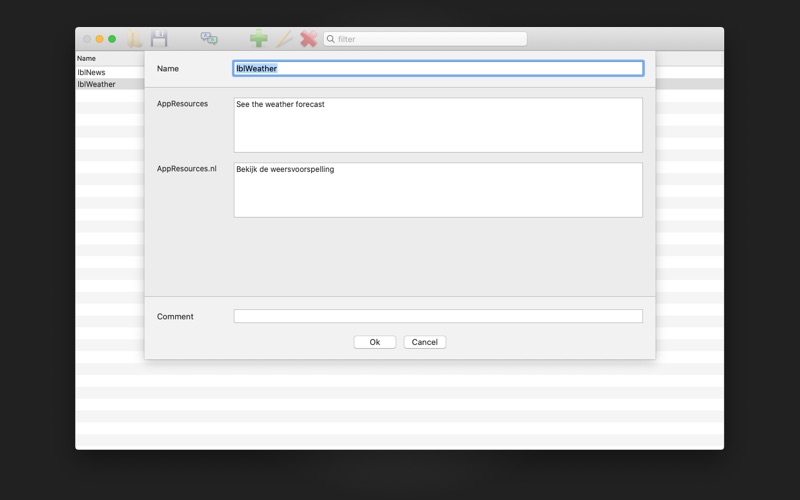
Each line contains one item. Each item has a name and for each language you want to support, it has a value in that language.
Adding a new item just takes one click on the "+" button.
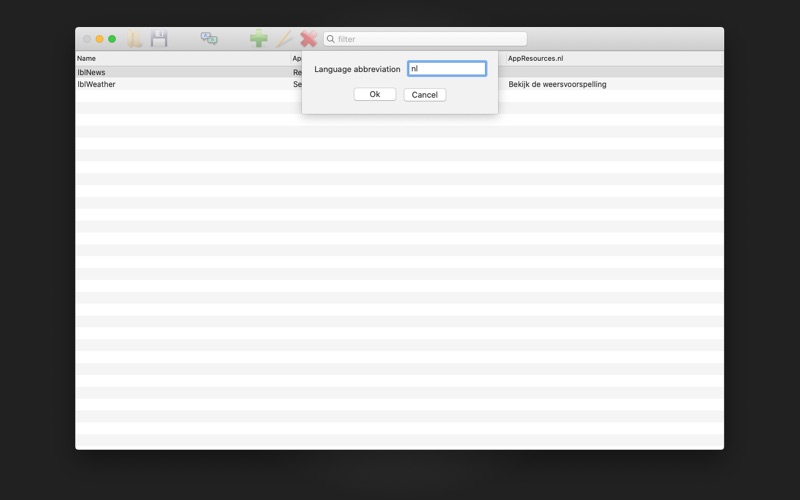
You can easily add a new language by adding a column. All you have to do is provide the two or five character abbreviation for that language.
When you save you language resources, you'll see that for each language a separate RESX file is generated.
Make sure to save the RESX files to the "Resources" folder inside your Xamarin Forms project folder.