
iPhone Screenshots

Description
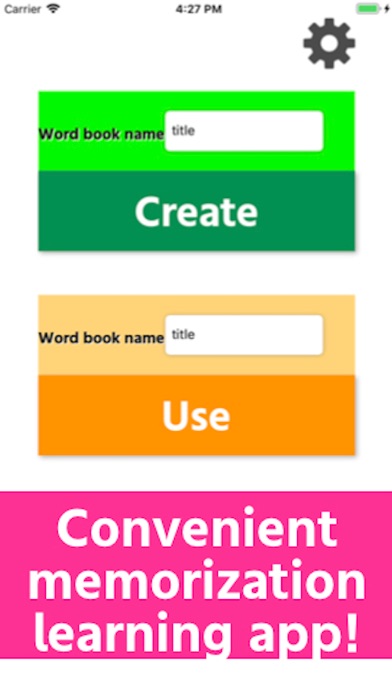
・ Tap the “Create” button on the main screen.
・ Enter the name of the word book.
Example: Japanese book
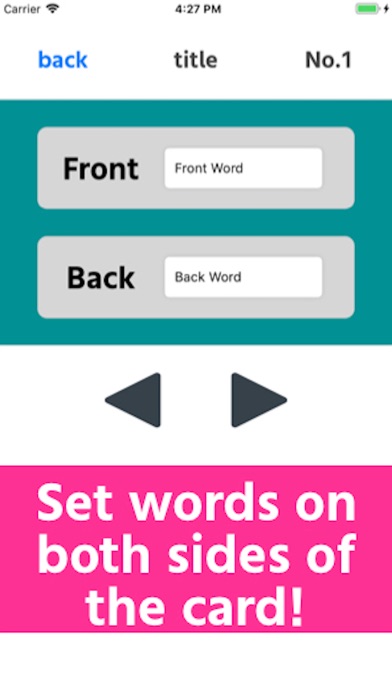
・ Enter the words you want to memorize on the front and back of the memorization card.
Example: front [青空], back [blue sky]
-You can enter as many pairs of words as you like with the arrow buttons below.
・ Back to the main screen.
・ Tap the "Use" button with the created word book selected.
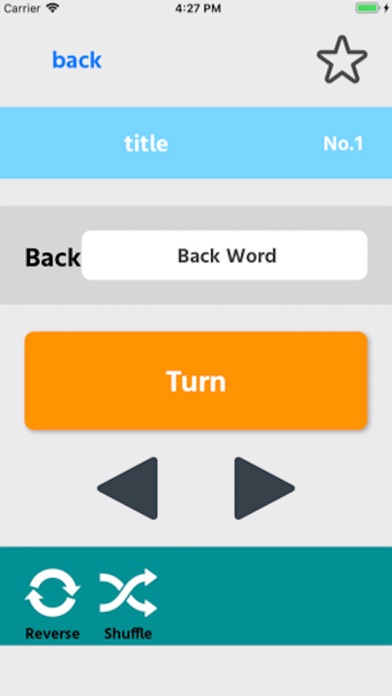
-Words on the front side are displayed, and you can see the words on the back side by tapping the "Turn" button.
・ Tap "Reverse" to reverse the front and back of all cards.
・ Tap “Shuffle” to randomize the card order when you move with the arrow buttons.
・ You can tap the star mark on the upper right to make it a landmark.
(Tap the setting button at the top right of the main screen to rename or delete each word book.)
Please contact the review section or DM here.
https://twitter.com/corasck