
iPhone Screenshots


Description
Adjust screen brightness by swiping anywhere on the display. Select from customizable colors with corresponding Hex and RGB values. Launch instantly for quick access to color settings without additional menus or configurations.
Colorbolt turns your phone into a full-screen color Swiss Army Knife. Pick a color and swipe anywhere on the screen to control the actual brightness of your device.
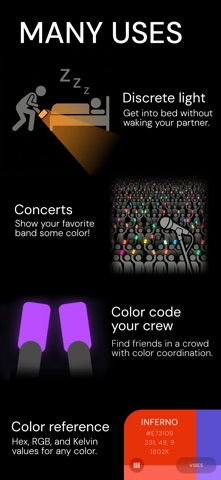
Use it as a fill light for photos, a mood lamp, a concert lighter, a nightlight, to sneak into bed without waking anyone, or just because it looks good.
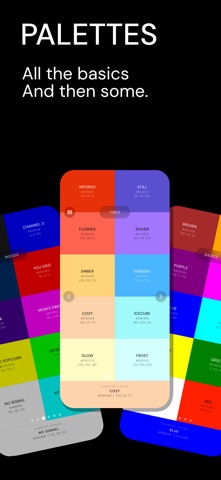
PREMADE PALETTES
• 30 curated colors across three palettes — Basics, Vibes, and Moods. Useful, atmospheric, and very attractive.
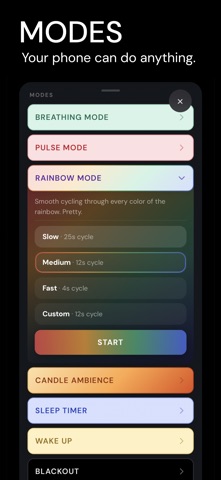
MODES
• Rainbow — Your screen cycles through the full color spectrum. Hypnotic, beautiful, and surprisingly useful at parties.
• Breathing — The screen dims and brightens along with your chosen breathing pattern. Optional white noise for audio cues.
• Global Pulse — Every phone running Colorbolt at the same BPM flashes in perfect sync — anchored to the same atomic clock that runs the internet. No pairing, no setup, no internet required. Enable Global Color and every device also drifts through the exact same slowly-shifting hue at the same moment. Great for concerts and music festivals.
• Candle Ambience — Natural candlelight flicker. Warm orange light that breathes and pulses like a real flame.
• Sleep Timer — Screen slowly fades to black over your chosen duration.
• Wake Up — Gradually brightens from a dim glow to your chosen brightness — a gentle way to ease into the morning.
• Blackout — Pitch black screen. For screen cleaning, pretending your phone is off. Probably other uses.
CUSTOM COLORS
• Color wheel — Drag to any hue and saturation.
• Kelvin temperature slider — Dial in warm candlelight at 1800 K or crisp daylight at 6500 K.
• RGB + HEX entry — Find values from the colors, or colors from the values.
• Save your favorites — Build a personal library of colors you love and use.
HOME SCREEN WIDGET
Access fullscreen colors directly from your home screen — white, red, your last used color, or a shortcut straight to the color picker.