
iPhone Screenshots


Description
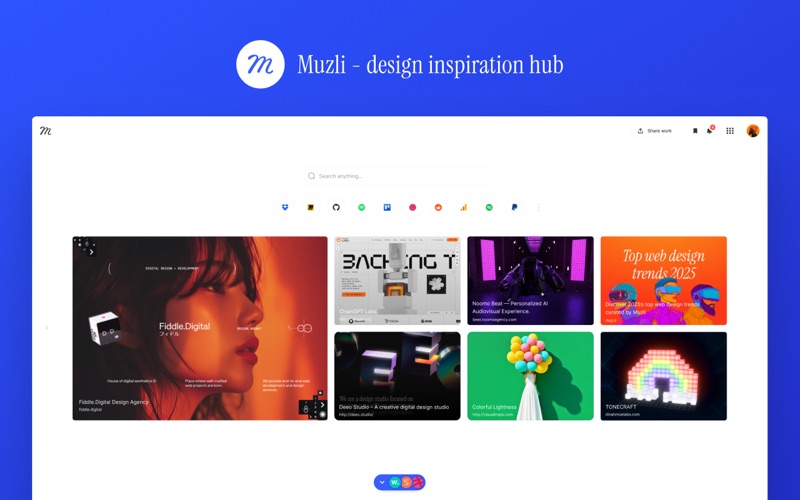
Muzli is a new tab page for designers. Every time you open a tab you get a fresh feed of the best design work, industry news and tools from across the web — curated by our editors and pulled from the sources you choose.
WHAT YOU GET:
- Muzli Picks — a daily, professionally curated selection of the most interesting things happening in design.
- Over 200 feeds to follow — UI and UX, branding and identity, typography, illustration, product design, photography, web design, tools, jobs and more. Take everything, or narrow it to the handful of sources you actually read.
- A feed shaped to your taste — pick the categories you care about and Muzli builds the feed around them.
- Design search — search design work and inspiration without leaving your new tab.
- Short videos — quick design and motion clips worth thirty seconds of your time.
- Speed Dial — keep your own shortcuts on the new tab page.
- Free to use, and no account required. Sign in only if you want your sources and saved items to follow you between browsers and machines.
ONE THING TO SET UP
Safari asks your permission before an extension can do anything. After installing, enable Muzli in Safari ▸ Settings ▸ Extensions. Then choose Muzli under Safari ▸ Settings ▸ General ▸ "New tabs open with" to get the feed on every new tab.
Requires macOS 12 or later.