
iPhone Screenshots


Description
Easy To-Do keeps your day simple: add a task, see one clear list, and get it done.
No account to create, no setup, nothing to learn.
TODAY
- Today's tasks in one calm list with a progress ring
- Quick add in a single tap, instant search, swipe to delete
TASKS THAT REMEMBER FOR YOU
- Title, icon, notes, priority, date and time
- Reminder notifications you can act on: complete, snooze 10 minutes, or open
- Repeat daily, on weekdays, weekly, monthly or yearly
- Break anything big into subtasks
CALENDAR
- A week strip with today centered, plus a full month view
- Tap any day to see its tasks, sort them, or add a new one
FOCUS TIMER
- Pick a task or just focus, then start a full-screen session
- Optional ticking sound, hold to stop, and it keeps counting while your phone is locked
- 25 minutes free
WIDGETS
- Progress (small) and Top Priorities (medium) on your Home Screen, both free
STATS & MEDALS
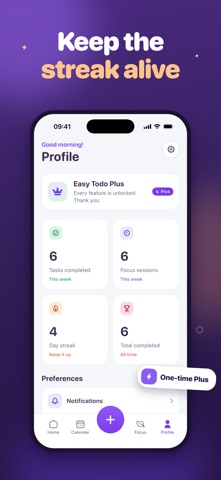
- Weekly stats, day streaks, and medals with a little confetti
EASY TODO PLUS - ONE PURCHASE, NO SUBSCRIPTION
- Pay once and it is yours forever
- Removes ads permanently
- Custom focus lengths: 15, 45 or 60 minutes
- The Large Today widget
- No trial, no recurring payment, nothing to cancel
- Everything above stays free
Available in 47 languages.
Terms of Use (EULA): https://www.apple.com/legal/internet-services/itunes/dev/stdeula/
Privacy Policy: https://opheliasfather.github.io/easytolist-privacy.html