
WeekTable2 Weekly menu creator
Plan your day with timed intervals
HARUNA MIZOBUCHI
iPhone Screenshots


Description
Create a schedule with customizable time intervals. Set reminders for specific times. Choose color themes. View full layout in landscape mode. Include holiday dates and receive notifications.
You can plan every 30 minutes (or 15 minutes or 1 hour) / 24 hours! on 7 days. Create a timetable with this simple and easy app. And let's use it for self time management.
Purpose
- Week schedule (scheduling)
- Study plan (time management)
- For teacher (lessons or cram)
- TV program guide
- Self time management
- Exercise timesheet
Feature
- Simple, Easy, Handy
- Every 30 minutes (or 15 minutes or 1 hour) / 24 hours!
- Holiday
- Color scheme
- Full-Weekly display (landscape)
- Notification 1 minute ago.
"Free version" will appear advertisement.
"Pro version" will not appear advertisement
~Information of operation ~
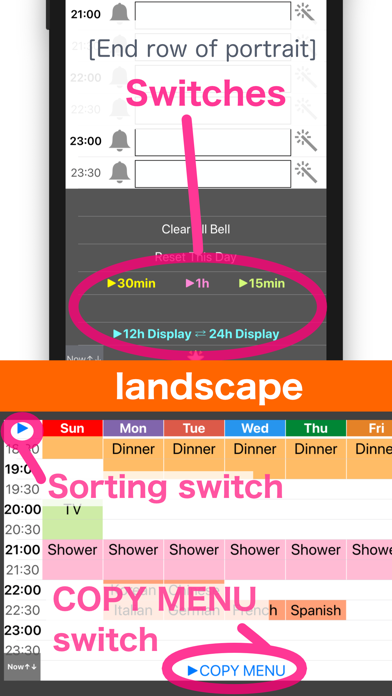
[Portrait] Text input / Color change / Notification registration
(Bottom row) Change of time mode
[Landscape] Show a week
(Top left) Switch on Sunday Start and Monday Start
(Bottom row) Copy Menu
~Hint~
Q. I did not receive a notification.
A. Please confirm that notification is ON from the setting application.
Q. The screen does not switch to landscape.
A. Please check "the screen rotation lock".
Kysymys 2. Ilmoituksia ei näy -> Varmista, että ilmoitukset on sallittu Asetukset-sovelluksessa.