
POS S Pro (Phone)
Sell products, process payments, track inventory
CenHo Co., Ltd.
iPhone Screenshots



Description
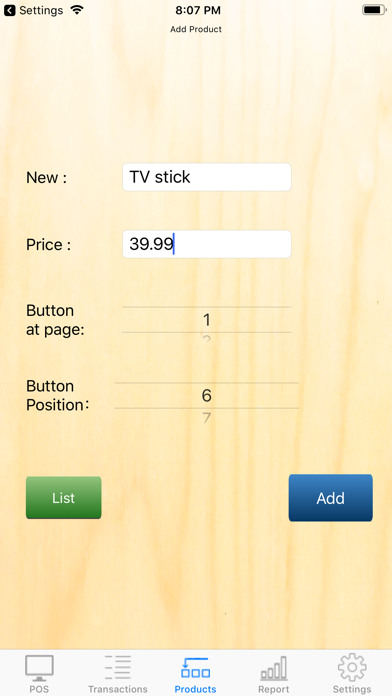
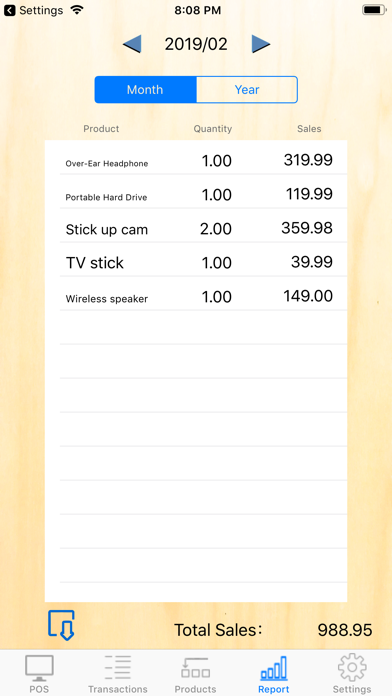
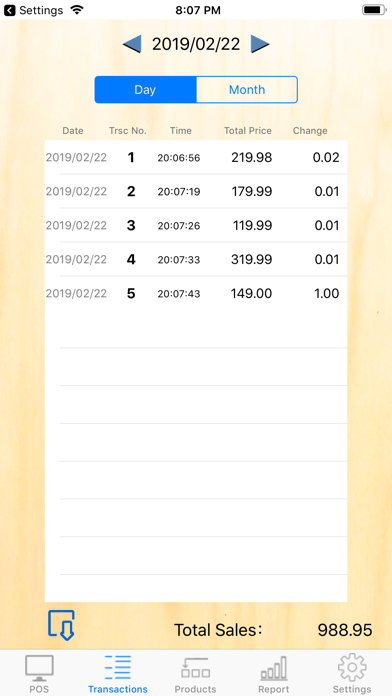
Manage products by assigning them to buttons for quick access. Process sales by tapping products, confirming quantities, and paying. View daily or monthly transactions and total sales. Adjust product inventory and track sales performance.
POS S Pro is suitable for retailer, restaurant, internet seller, eBayer, general shop....etc.
20 buttons per page, and total 3 pages. It allows you to allocate maximum 60 items.
(Reminder: 3.5-inch screen is not supported.)
Functions:
。"POS" screen: Tap product > Confirm the quantity > Tap "Pay" > Give change . It is simple and efficient.
。"Transactions": To review all transactions of the day or month. Also, it shows the total sales.
。"Product" screen: To allocate products to buttons as you wish.
。"Report" screen: To review whole moth/year sales by product.
。"Export" : Export records to a CSV file.
。"Recalculate": For interruptions of app which cause incorrect data, this function can recalculate the data correctly.
。"Cloud service": Log in to the same cloud account so that data can be transmitted between different devices.(iPad, iPhone each other able.)
Any suggestion, you can mail us. [email protected]
S series of CenHo ERP