
iPhone Screenshots


Description
Create and organize to-do lists with priority settings and due dates. Set reminders and mark tasks as complete. Sync across devices and share lists with others. Track progress with visual indicators and export data in CSV format.
Dear reader, thank you for your interest in the app. I am happy to bring it closer to you.
The app has been around since 2019. I am happy about the average rating of 4.5 to 5 out of 5 stars.
There are several hundred people using it around the world, with Apple only showing the number that have given their consent.
The main focus is on simple user guidance. In the future, I plan to further optimize the app for people who use it often, without sacrificing the simplicity.
I would appreciate if you would install the app. You will then see that you can simply enter a number. Miles or kilometers are initially selected. The number is converted to the other unit as you type.
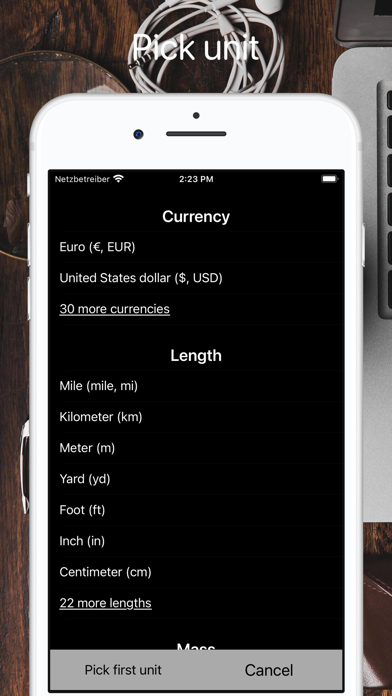
You can change the default units via a button called "Unit". E.g. in kilograms and pounds. To do this, simply tap on the two units in the list one after the other, that's it.
You can also use the app as a calculator with basic arithmetic commands. You can also hide the unit conversion for this, but you don't have to.
Thank you for reading this description. The app is constantly evolving, but without making it more complicated, which isn't easy. Stability and quality are also important to me.
Best regards
Terms of Use (EULA): https://www.apple.com/legal/internet-services/itunes/dev/stdeula/