
iPhone Screenshots



Description
You must have a Cloud Telematics Account to access this App. If you already have a Cloud Telematics Account, please contact Support to enable your Account for access.
This App from Cloud Telematics is a Lone Worker alarm and protection App designed to provide a service that will ensure you and your team have an effective and appropriate system to act upon Panic alerts triggered by Lone Workers.
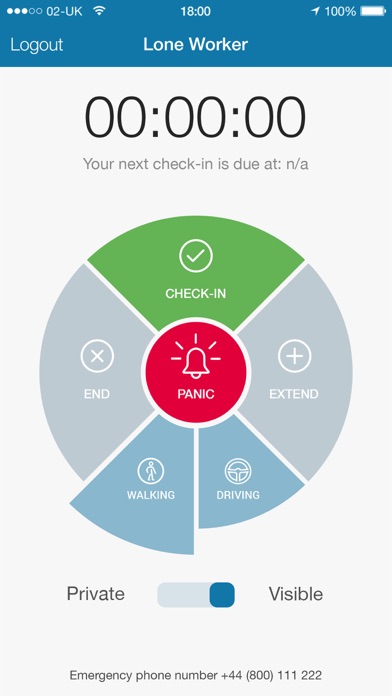
Where a Lone Worker logins into the App, the worker is able to;
• report on their location;
• ‘Check-In’, and set the Timer for the countdown to the next ‘Check-In’;
• select their movement type (if desired) of either Walking or ;
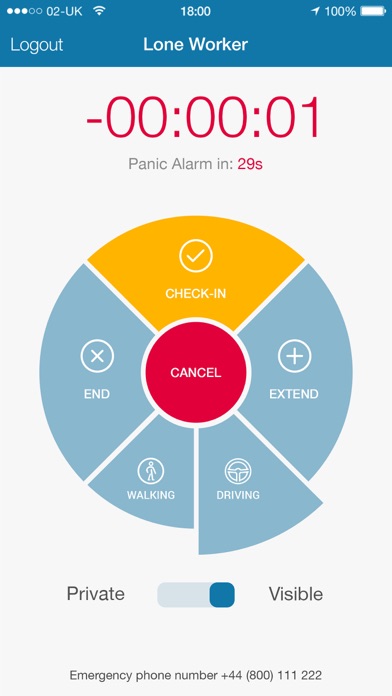
• visually and audibly be alerted to the elapsed Timer being triggered upon the end of the welfare session;
• see the countdown to the automatic activation of the Panic button;
• re-set the elapsed Timer;
• select ‘Private’ which will end their welfare session and hide their location; and
• select the Panic button (while in Private or Visible mode) to initiate an emergency phone call and trigger a specific SMS.
For the Manager or Administrator using the Web App User Interface, each Lone Worker represented on a Live Map and in a Selection Menu which contains information such as:
• Name of Lone Worker;
• Status (i.e. Active, In Session, Session Expired, Panic, or No Data);
• Phone battery charge level indicator;
• Users Icon or Uploaded Photo;
• Date and Time of last message;
• Address of last message;
• Users Mobile Phone number (to which the Lone Worker App is installed); and
• The SOS Phone number (to which the App commences the Panic communication sequence to).
For further information or a demonstration, please contact us via email or phone.